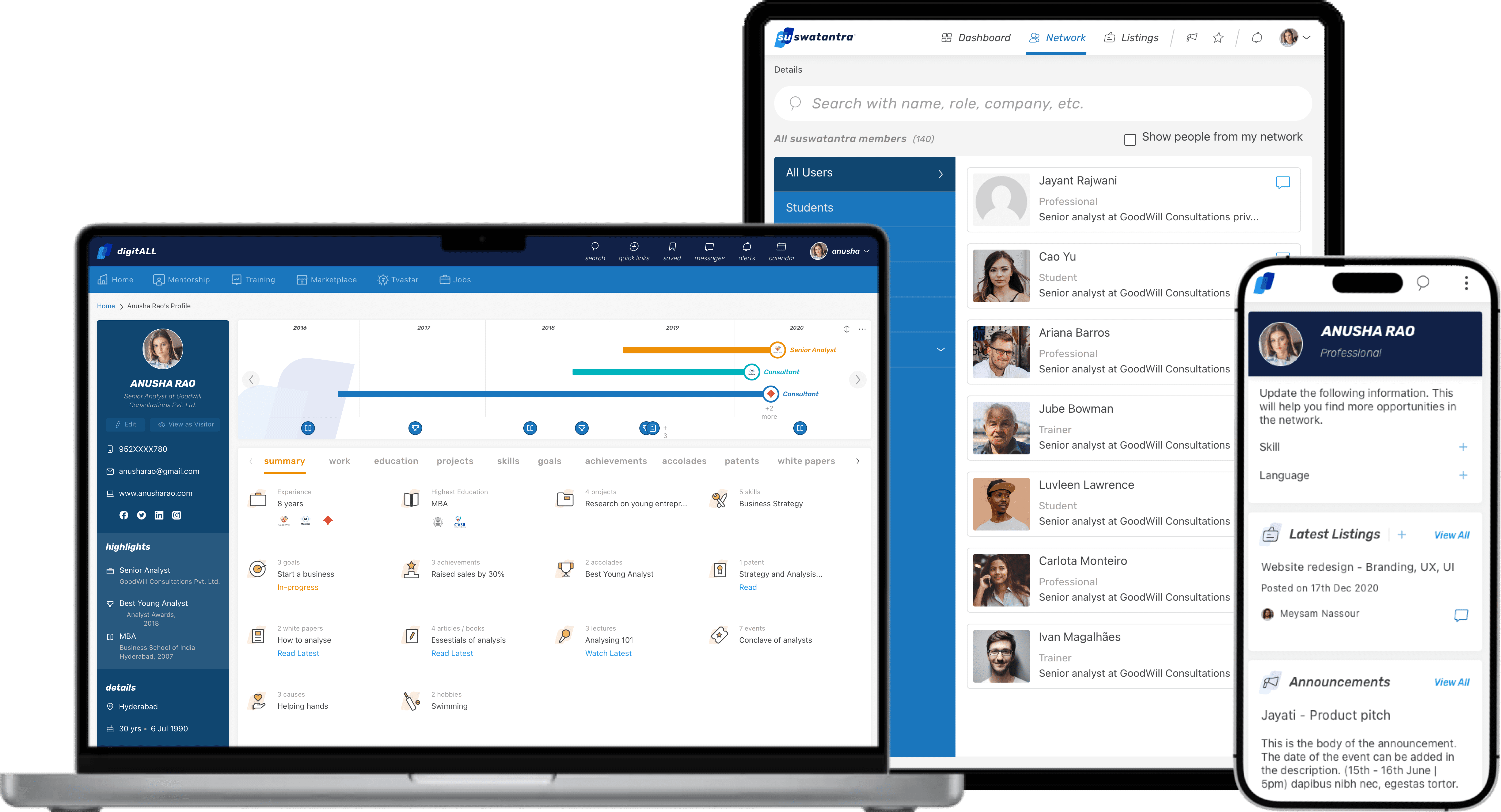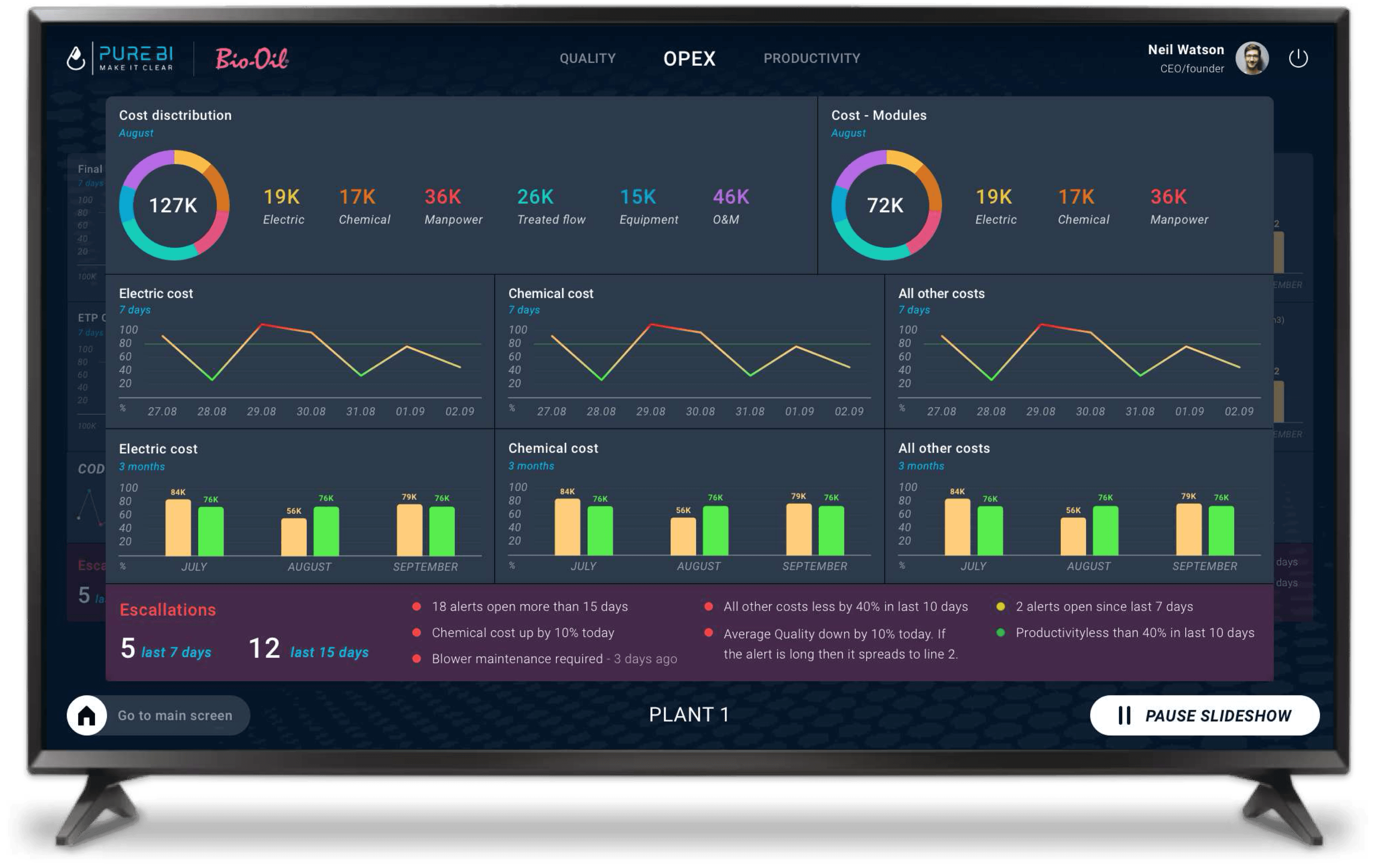



UX Research
Editor Tool
Developer tool
Micro-Interaction Design
Status - 🟢 LIVE

Try the Prototype
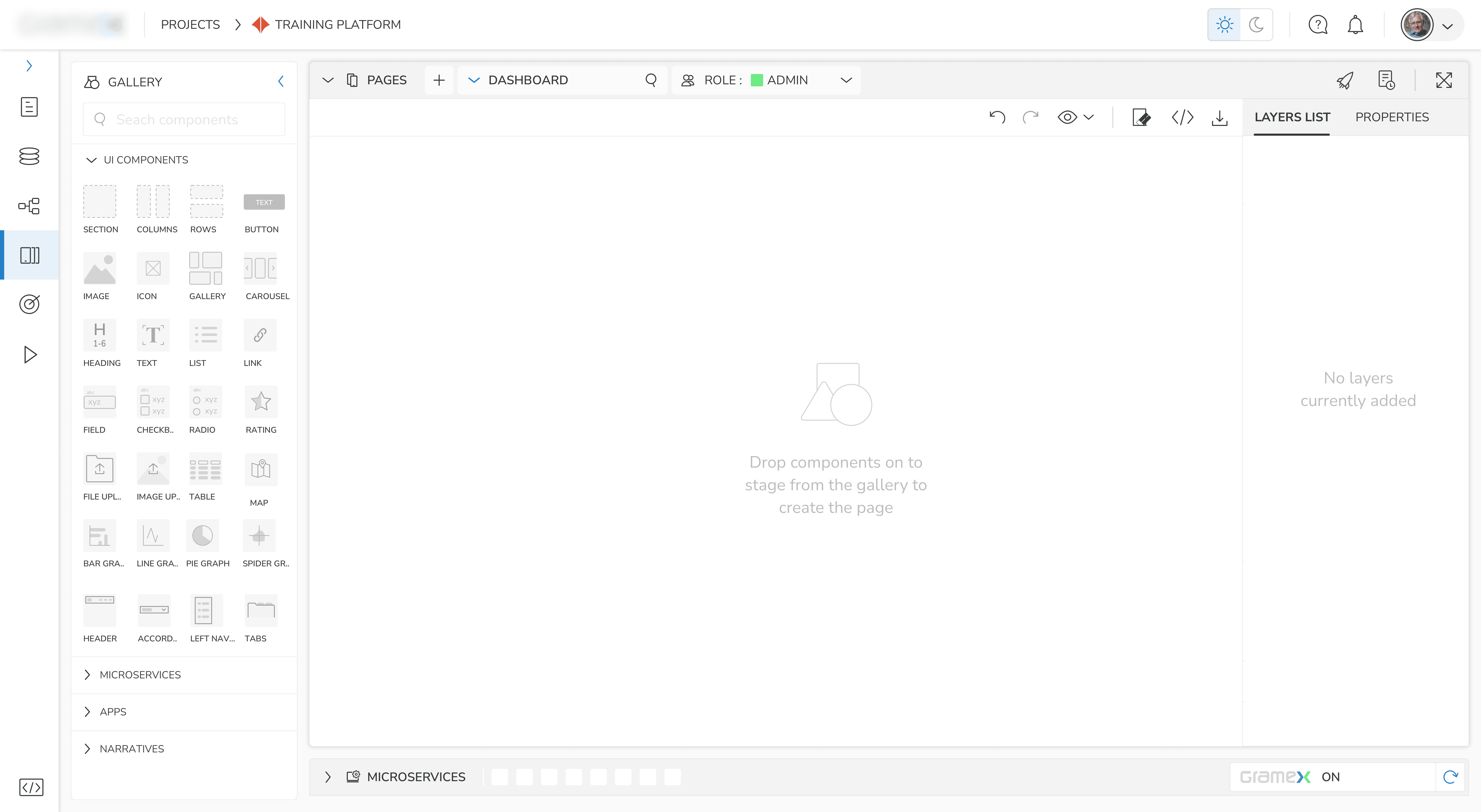
Hover to View interaction Areas
How would I with AI?
What was built
An MVP version of a no/low-code platform that helps Business Operation Managers, Data Scientists, and Innovation Managers to design and launch custom web apps without writing code from scratch.
🟢 LIVE
My Role
Product Designer
My tasks included research and Information architecture to UX design, component systems, interactive prototyping and developer co-ordinance.
The Team
Client Leadership team
Client Product lead
Strategy Consultant (Mr. Srinivas), Product Designer (Myself)
The Timeline
4 Months
2 Weeks - Discovery
3 Weeks - Define IA & Flows
2 Weeks - Navigation & Wireframes
6 Weeks - UI Design
4 Weeks - Test & Redesign
Business Impact
+8% - Revenue
+11% - Customer Retention
Design Impact
55% - Task Success Rate
64% - Error Recovery Rate
62% - System Usability Score
The client wanted to introduce a new revenue stream by expanding into a no-code tool. With an existing active user base using their data analytics tools, the opportunity was to create a new product that let users build and deploy custom web apps, enabling faster workflows, deeper data visualisation, and increased business value.
Behaviour
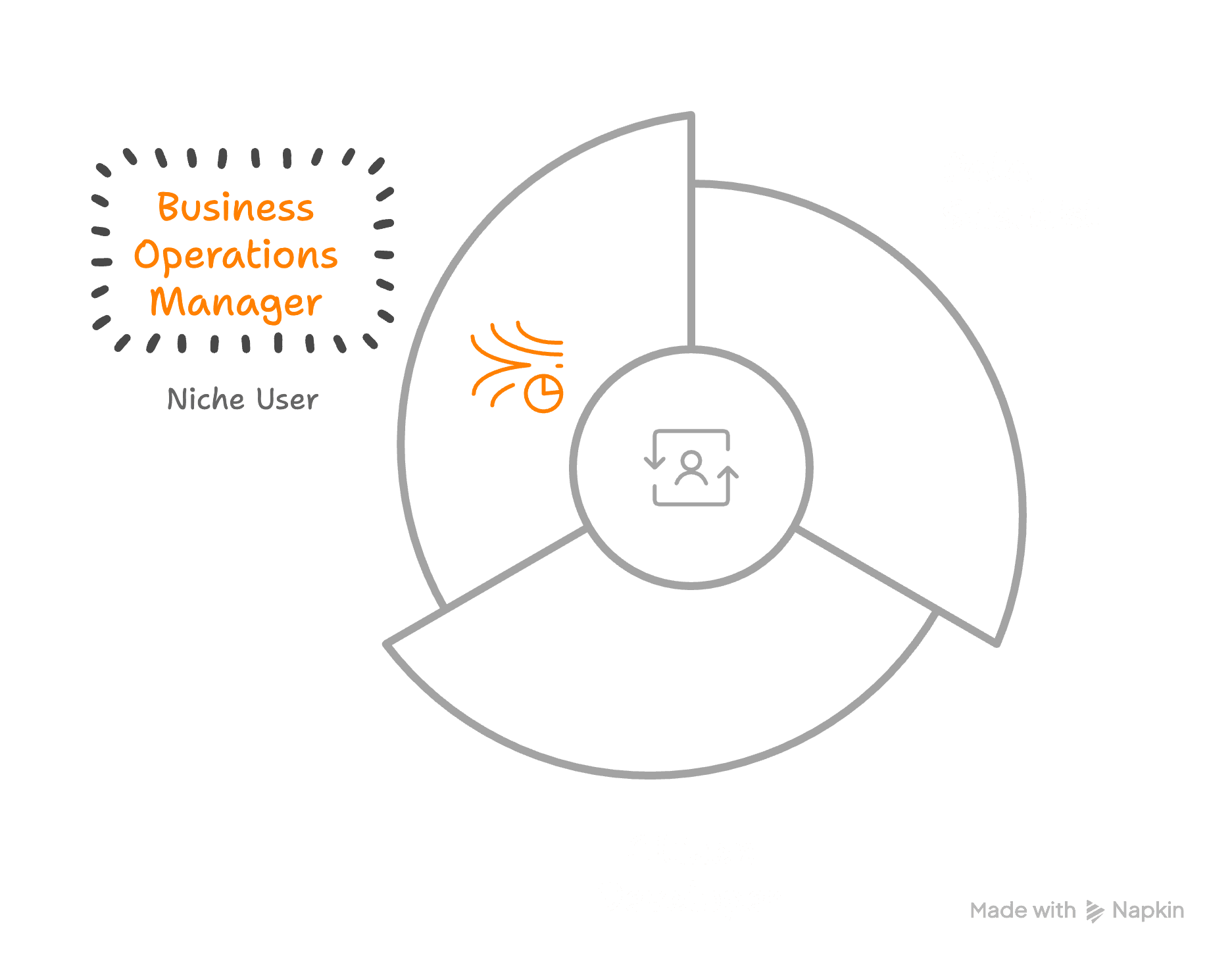
A Business Operations Manager works across products, sales, and finance. This user creates and manages workflows using various tools like SCADA System, SAP tools, Power Bi, Notion, and Jira. They are tech-literate but not a developer. They builds and fixes internal tools on the fly in order to maintain team efficiency.
Goals
Streamline resource tracking and internal reporting.
Reduce dependency on developers.
Build tools that boost teams' efficiency.
Pain Points
Data scattered across multiple systems
Delayed visibility into performance issues
Manual report preparation
Difficulty connecting operational metrics to financial impact
Reactive decision making
Tools Used
Notion, SAP - ERP Tool, Looker, Slack
(Currently switching across multiple tools to solve one workflow)




Job to be Done
Build a centralised internal system without developer support.
Unmet need
Multiple tools are too rigid or generalized and doesnt serve the purpose.
Phillipe needs something flexible, scalable, and tailored to his specific team’s needs.
Key Insight
Phillipe is already “designing” systems. What he lacks is structure and support; if you give him the right building blocks, he can create better customized tools than a prebuilt solution ever could.
Problems
Cost of 3rd party tools leading to - 3.000 to 15.000 EUR/month
Developer support needed to comprehend technical details
2080 hours/yearReporting and daily meeting updates takes of time
104 hours/year
Design Hypothesis
If we give non-technical team leads a no-code platform with
reusable components
simple logic flows and
built-in UX guidance
they’ll be able to create internal tools faster, reduce cost, and scale workflows with confidence.
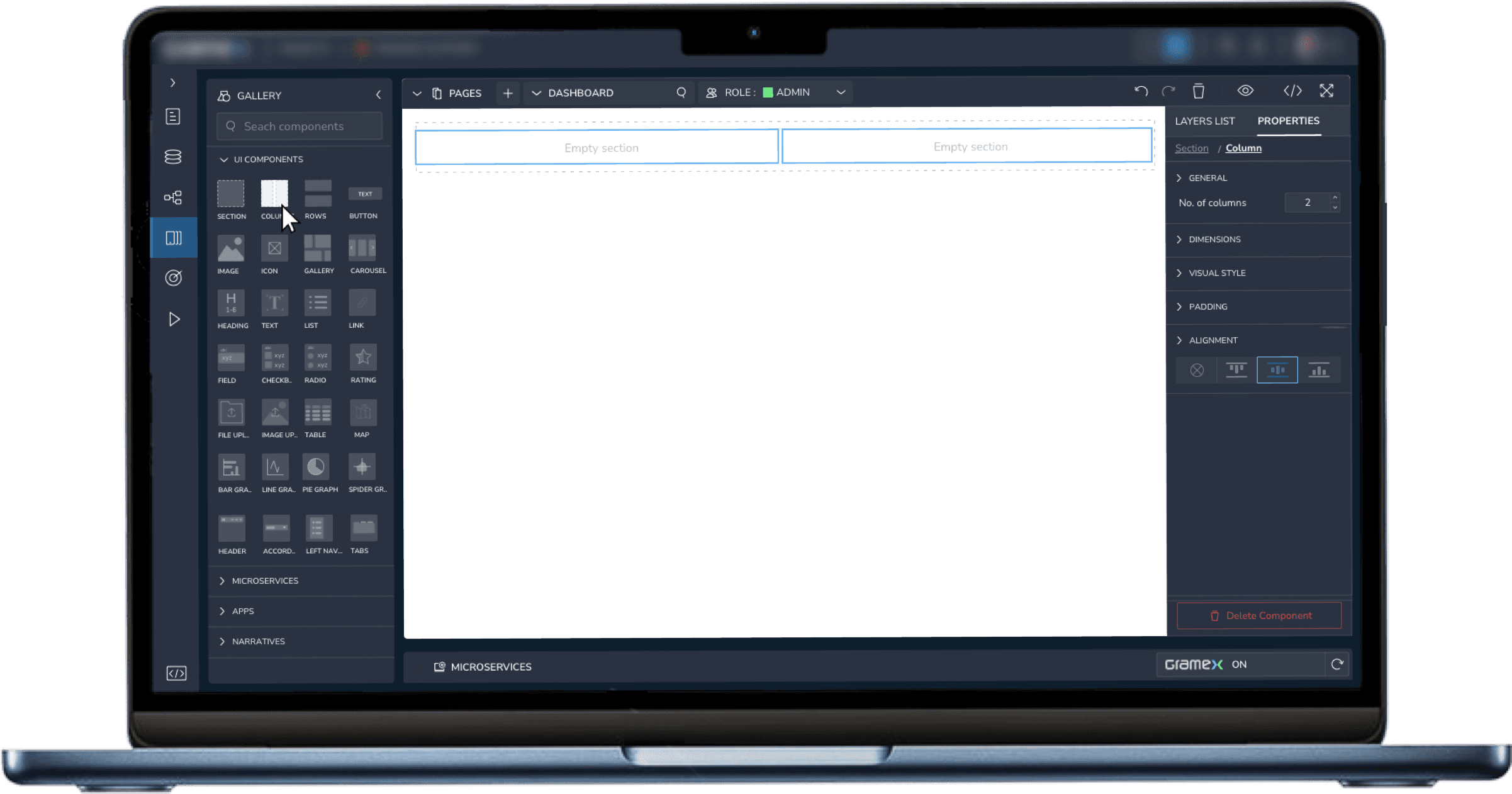
IDE Property editing made powerful yet beginner-friendly.
Users needed to set detailed properties for each component, but without technical complexity or steep learning curves.
Challenge
Simplyfing component properties in an IDE that enables confident setup of elements without creating a steep learning curve.
Solution
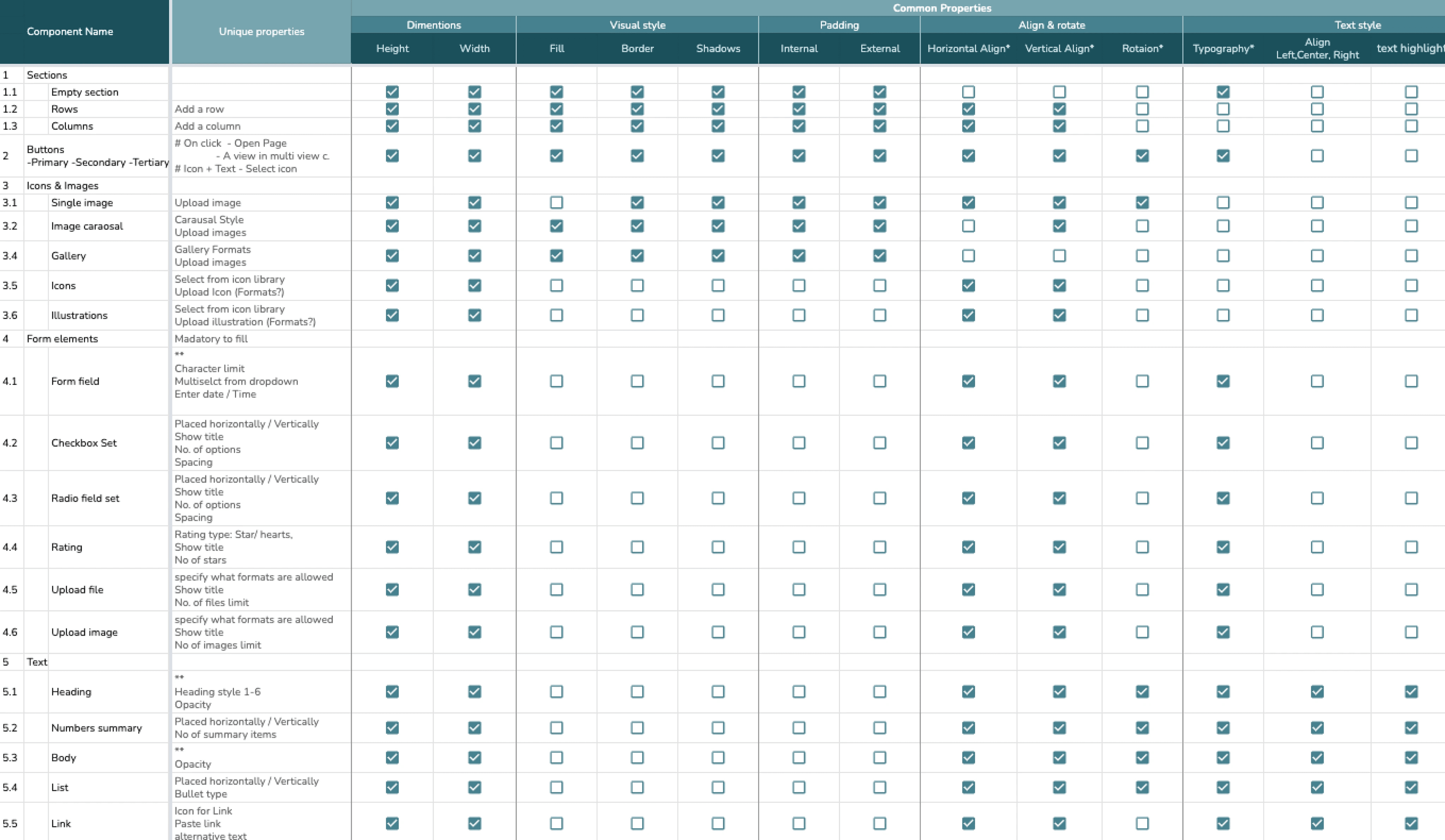
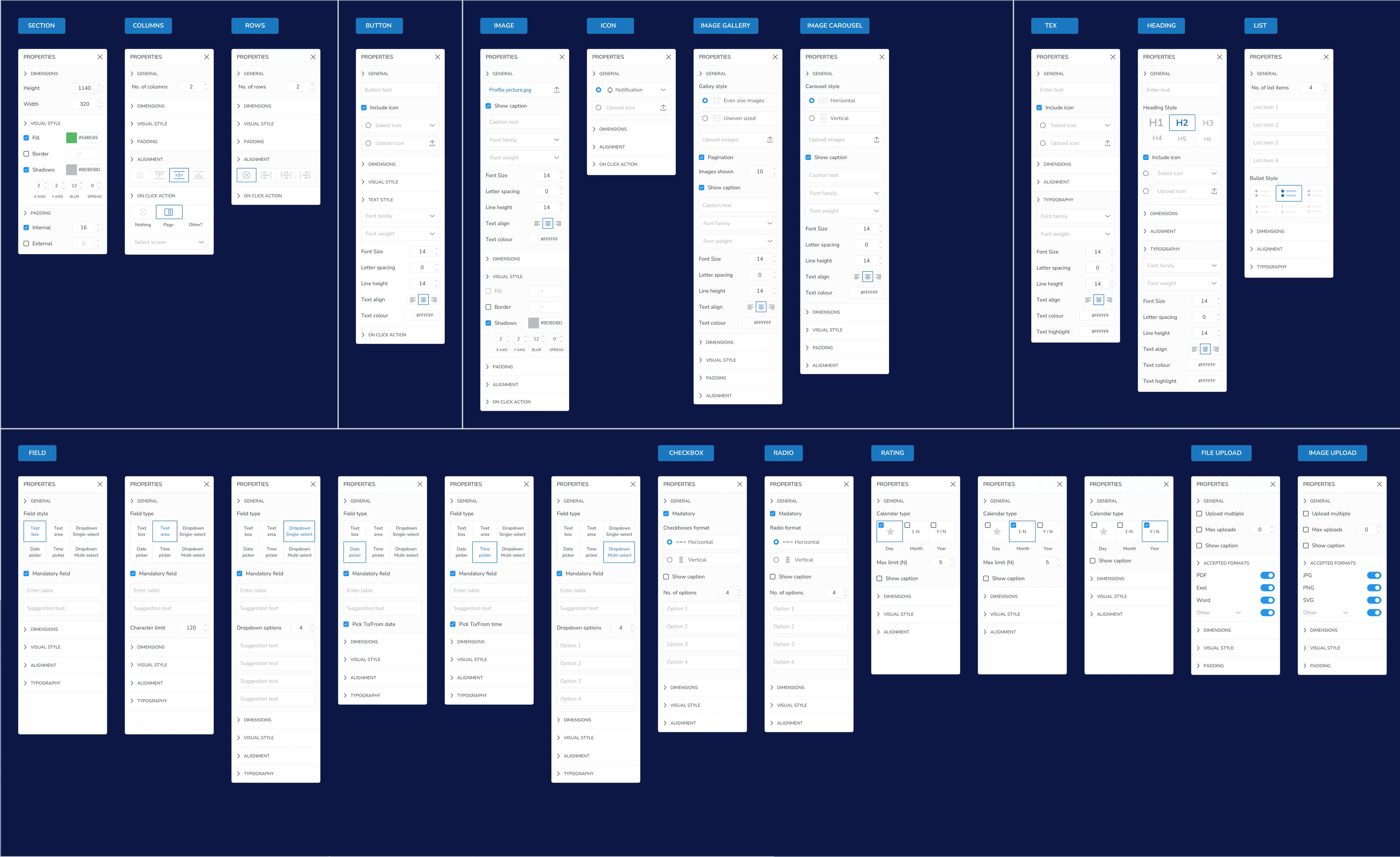
I first audited all components and grouped common properties (like spacing, alignments, and behavior), then listed the unique properties of components. After this, I designed property panels that only followed familiar UX patterns, reducing cognitive load and supporting quick setup.
Key Decisions
Used a matrix to map shared vs. unique attributes
Prototyped variations of grouping logic
Conducted usability tests with 12 users across design and ops roles
Design Imapct
Users reported faster setup time and fewer errors. 74% of test users successfully recovered from configuration errors using the redesigned panels.
Use Case - 2
Visualizing site architechure and linking screens
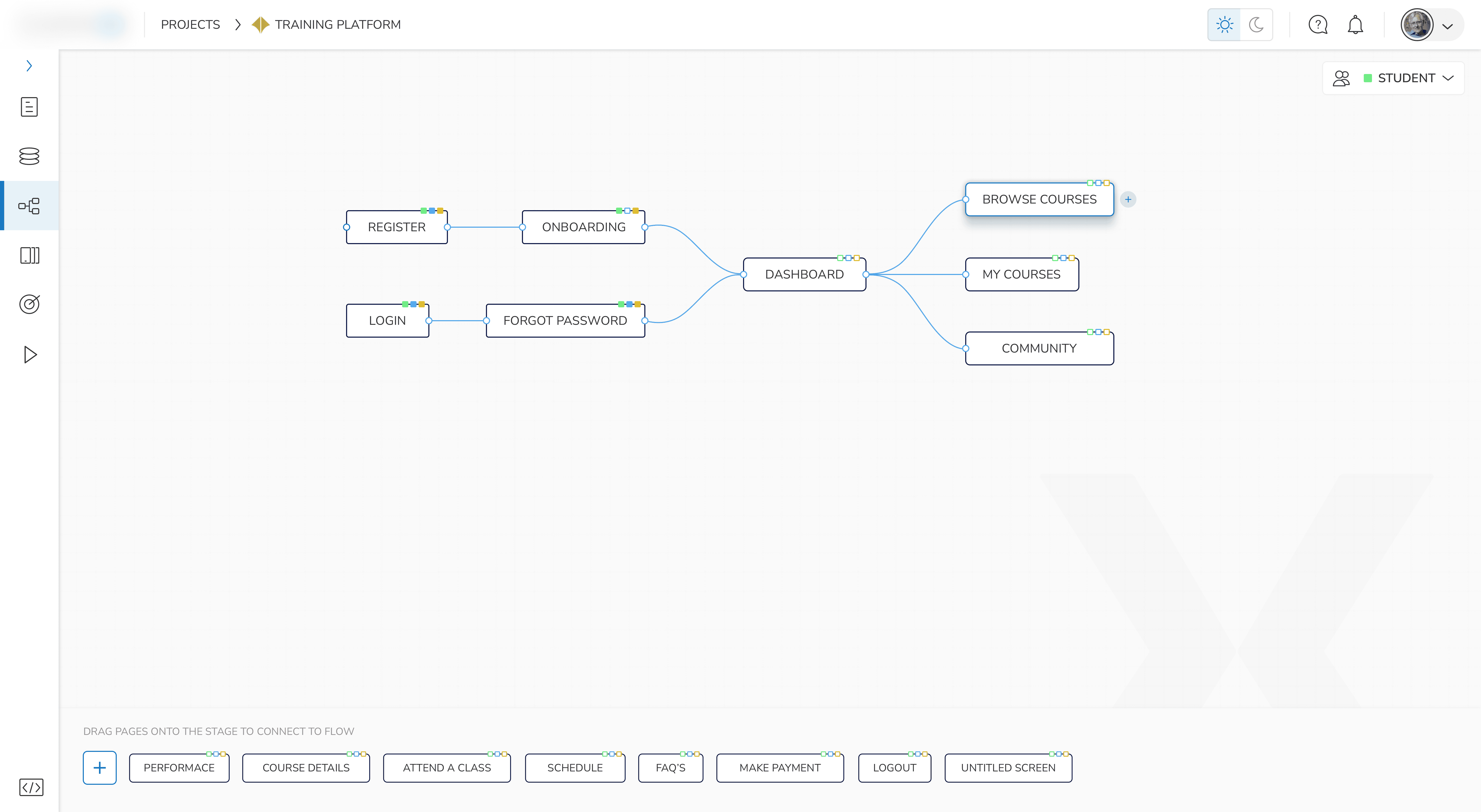
Users need to see the app architecture to be able to visually to see if all screens are connected, and there are no dead ends or missing screens.
Challenge
Users often struggled to keep track of how their screens were linked together. Since connections had to be made individually through component properties, some screens remained disconnected, creating broken flows. This also made it difficult to understand the full structure of the application, especially for larger projects or team collaboration.
Solution
We introduced a dedicated Information Architecture (IA) view where users could visually map the structure of their app. This view allowed for:
• Drag-and-drop screen linking
• Color-coded user access paths
• Automatic flagging of disconnected screens
• Clear visibility into redirects, user flows, and entry points
Key Decisions
Instead of treating navigation as a backend configuration, we brought it into the editor as a central workspace. This helped beginner users understand relationships between screens without technical jargon. We also made sure the IA view could sync with the properties panel and components to avoid duplicate work.
Design Imapct
• 42% reduction in screens with missing links (measured across 3 test projects)
• Higher success rate in user testing when navigating between screens (from 58% to 74%)
• Improved user perception of control and clarity (collected via System Usability Scale)
The client team recruited 15 users to test in 2 rounds. I selected key tasks the user would need to do and decided on 3 KPI's that would define the success of the task. We then conducted the tests, evaluated the problem areas, redesigned the prototype and conducted the validation test to compare the KPI's defined. The results are shown below..
Task & KPI's Measured
Showcase
Locate and manage your pages connections
Time to Complete Task: ↓ 32%
Task Success: 38% → 53%
Confidence Score: ↑
Find the component you are looking for and add it on the IDE.
Time to Complete Task: ↓ 40%
Task Success: 38% → 55%
Confidence Score: ↑
Version 2 - improvements
Reduced onboarding and setup time
AI Assisted Flow Creation
Improved confidence in building internal tools
Advanced Debugging tool
Lowered dependency on engineering teams
Performance optimisation
Increased task completion across complex workflows
Template libraries
Time to Complete Task: Reduced
Collaboration & version control
Made enterprise deployment feasible

Dark Mode
Navigation