


B2B SAAS Tool for

PureBI is a platform by Bio Petro Clean that turns industrial and waste management data into real-time insights for monitoring, optimization, and decision-making.
B2B SaaS
Internal tool
Reporting Analytics
Sustainability in Water Treatment
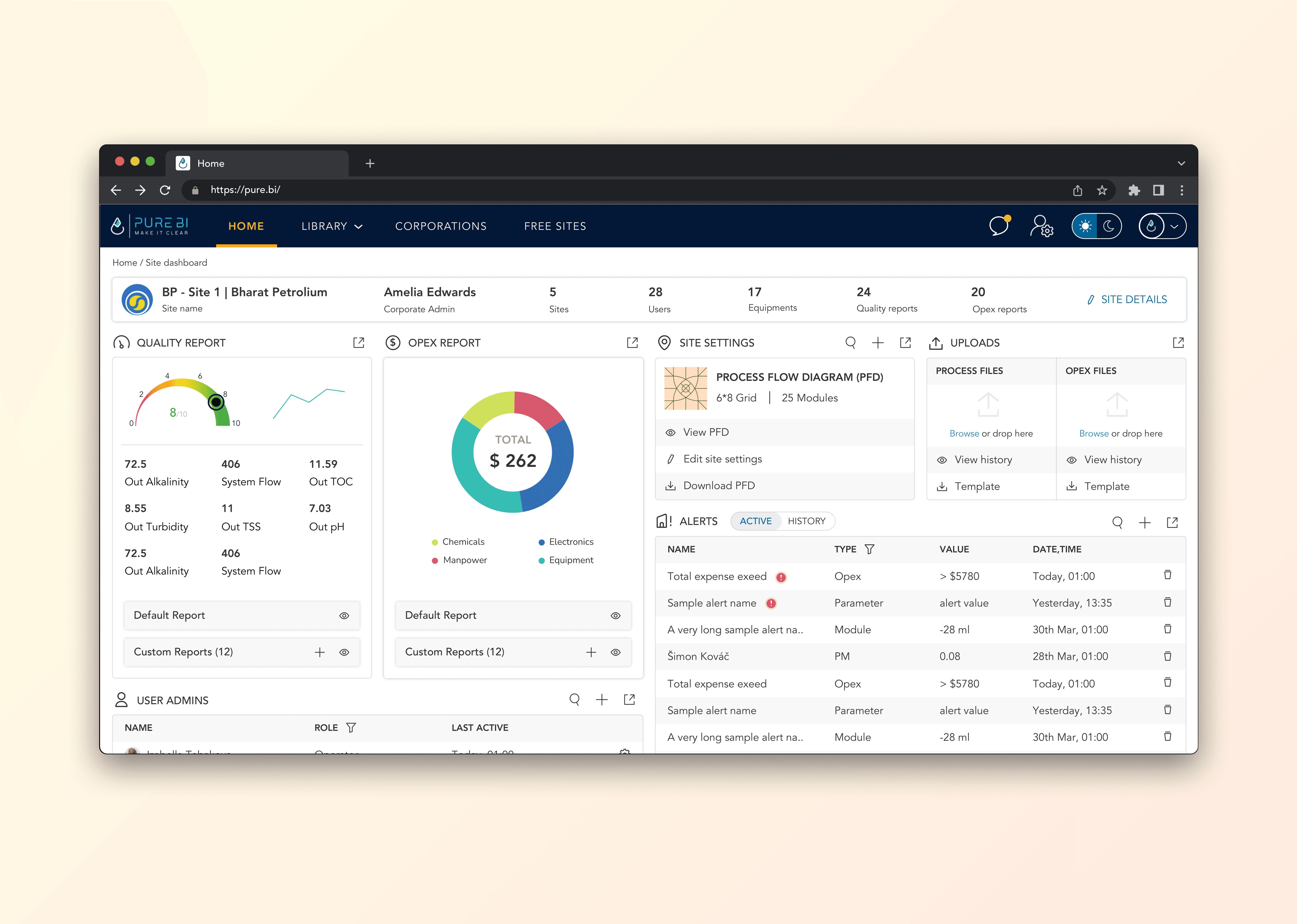
Dashboard - Mar 2023
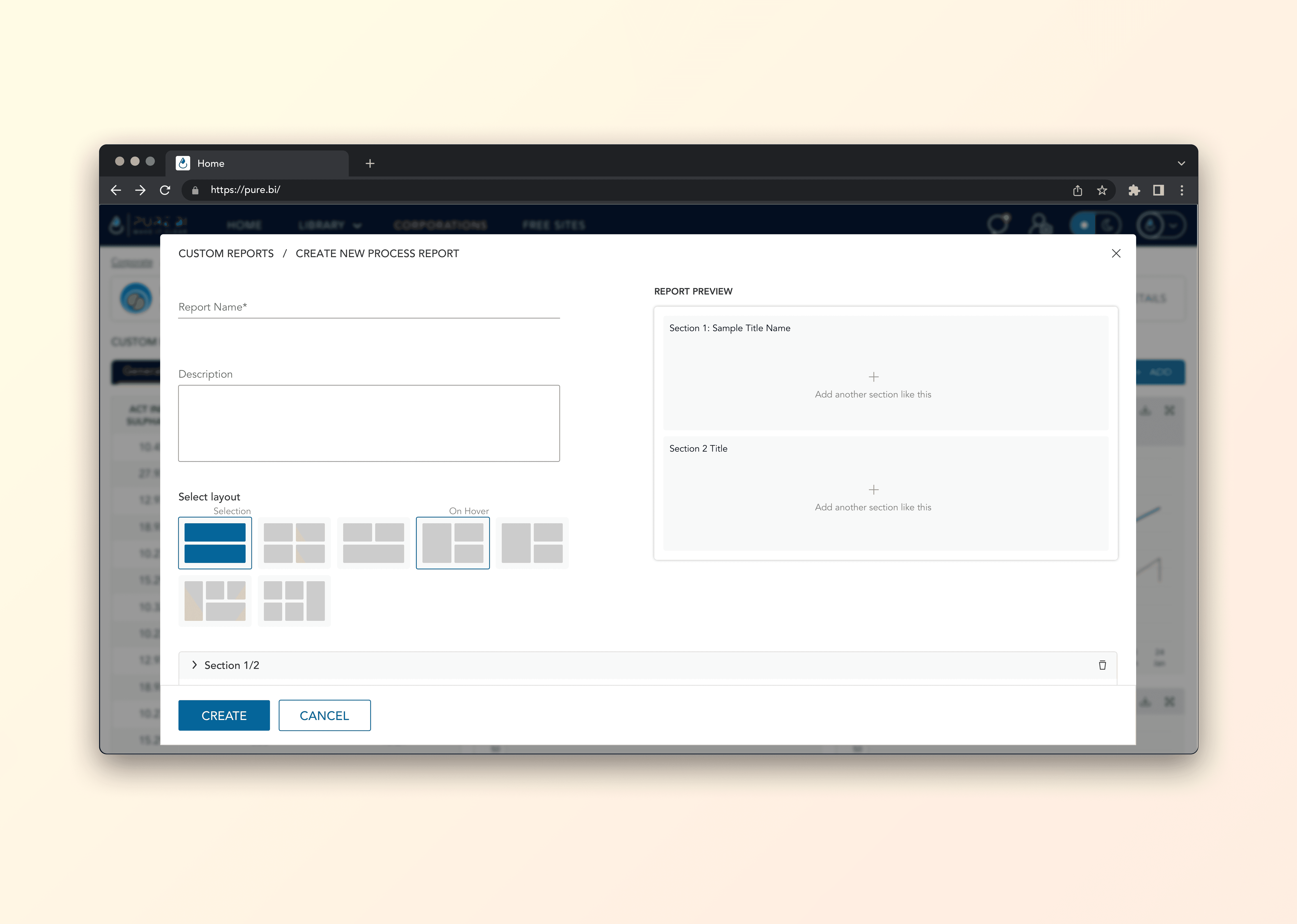
Custom Reports - Jun 2023
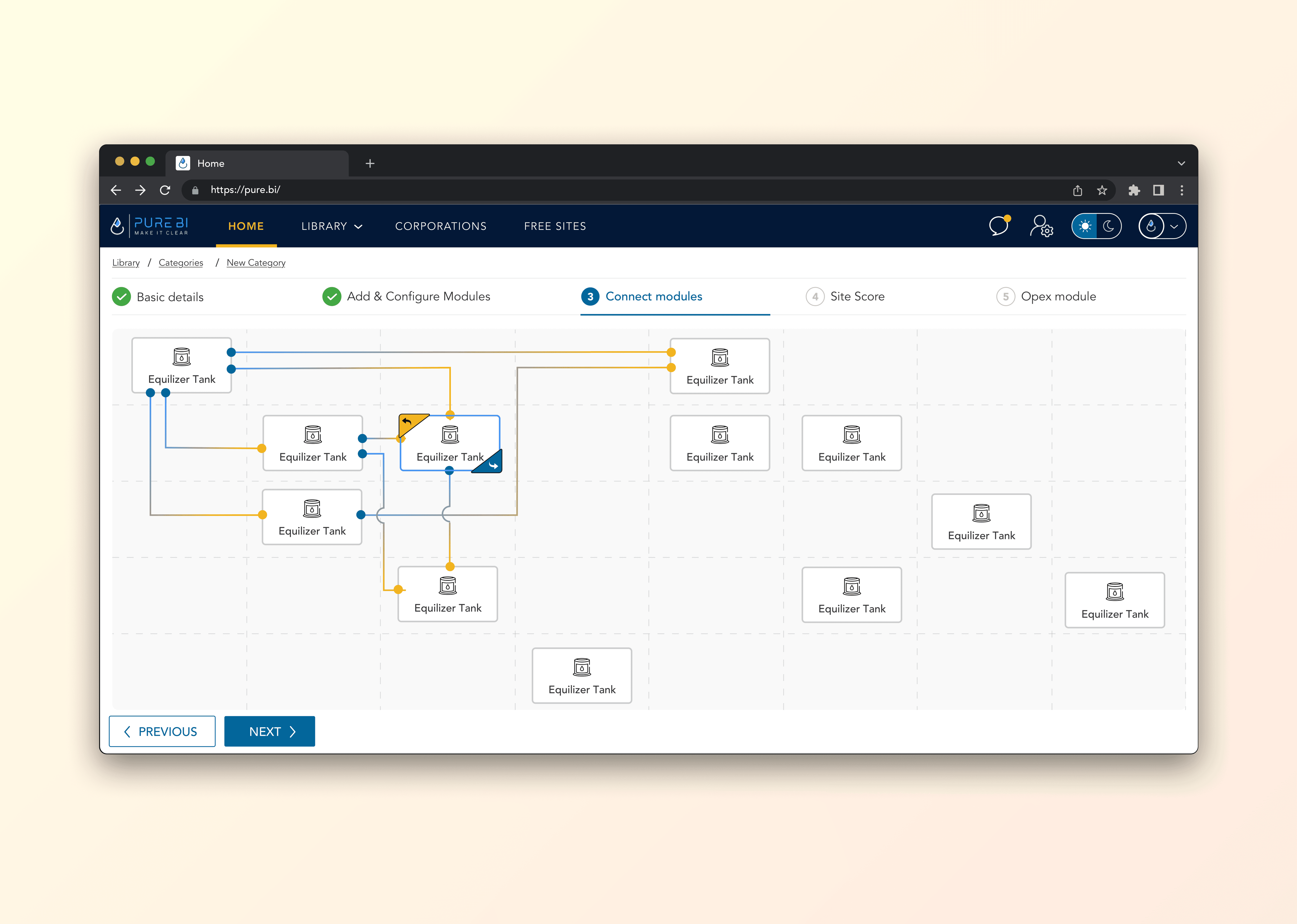
Configure Modules - Jul 2023
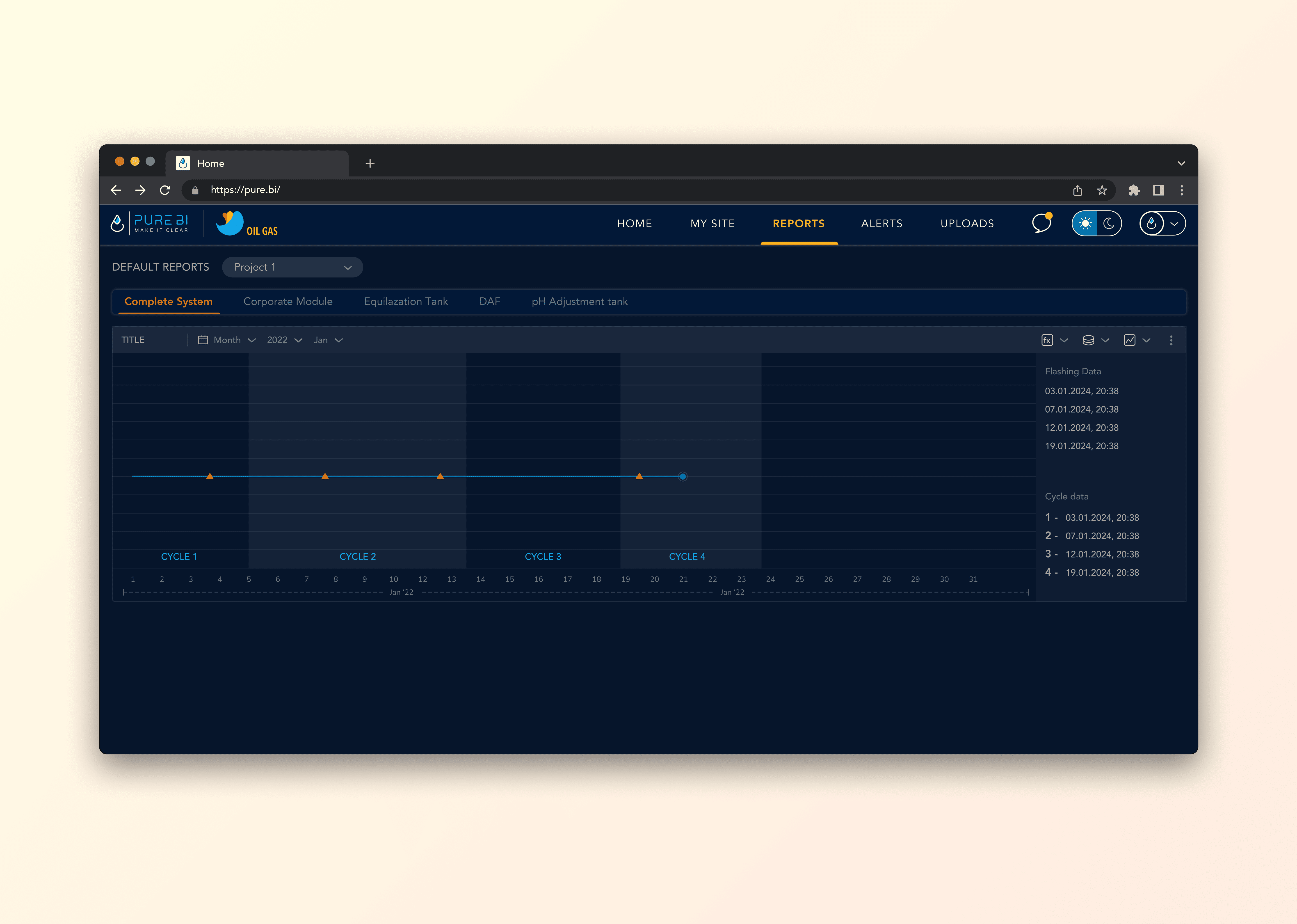
Project cycle - May 2024
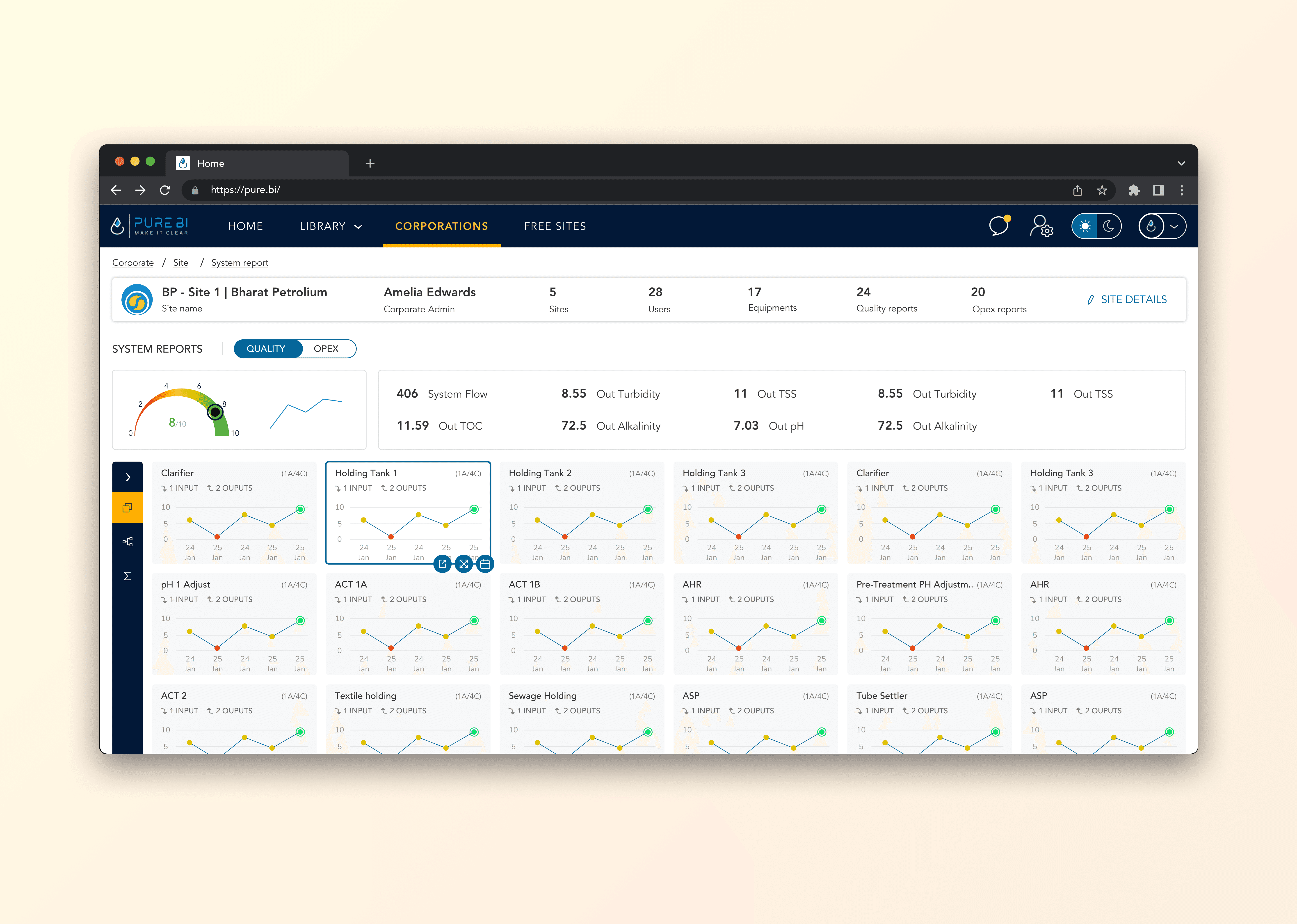
System Reports - Nov 2023
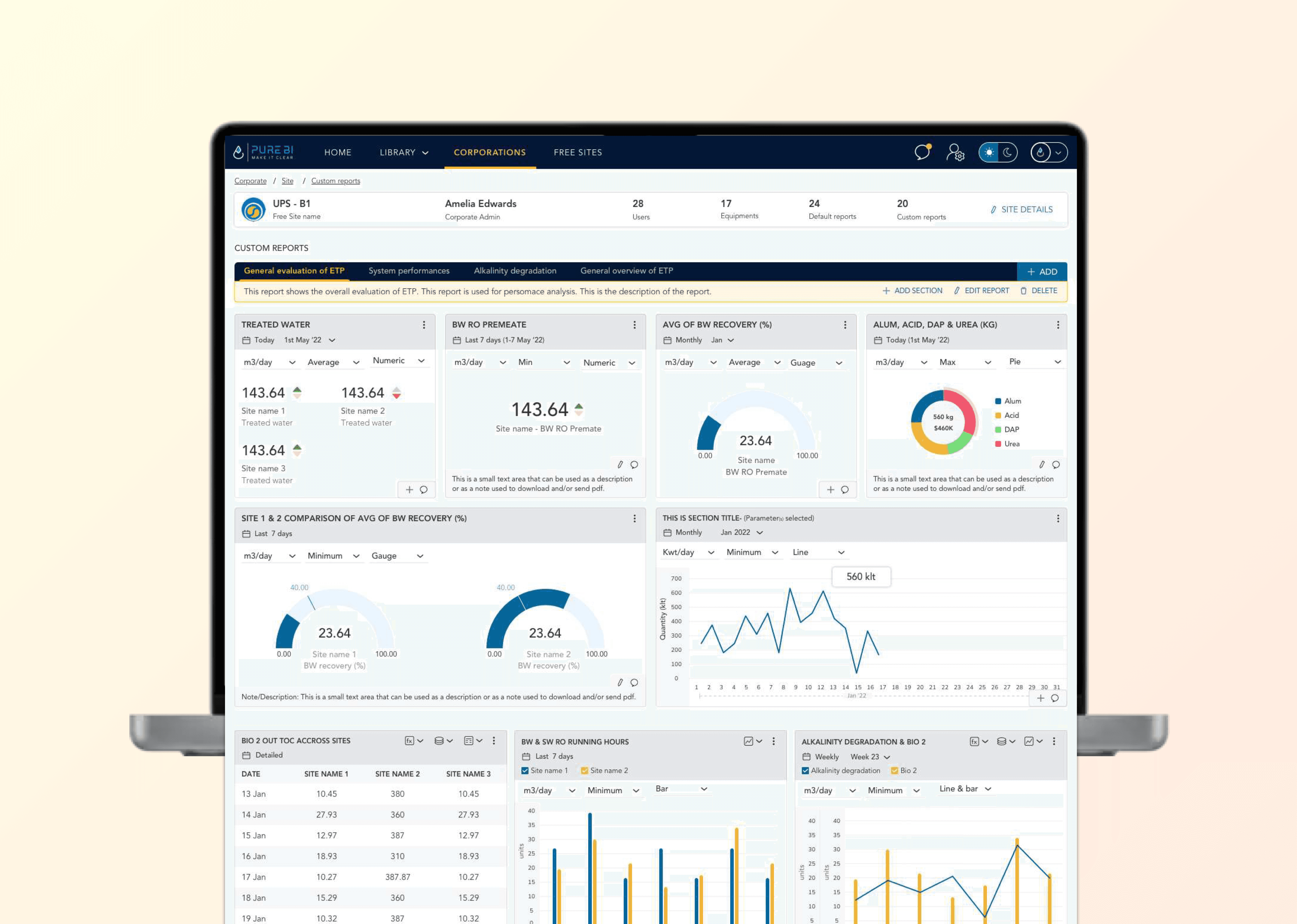
Site Reports - Nov 2025
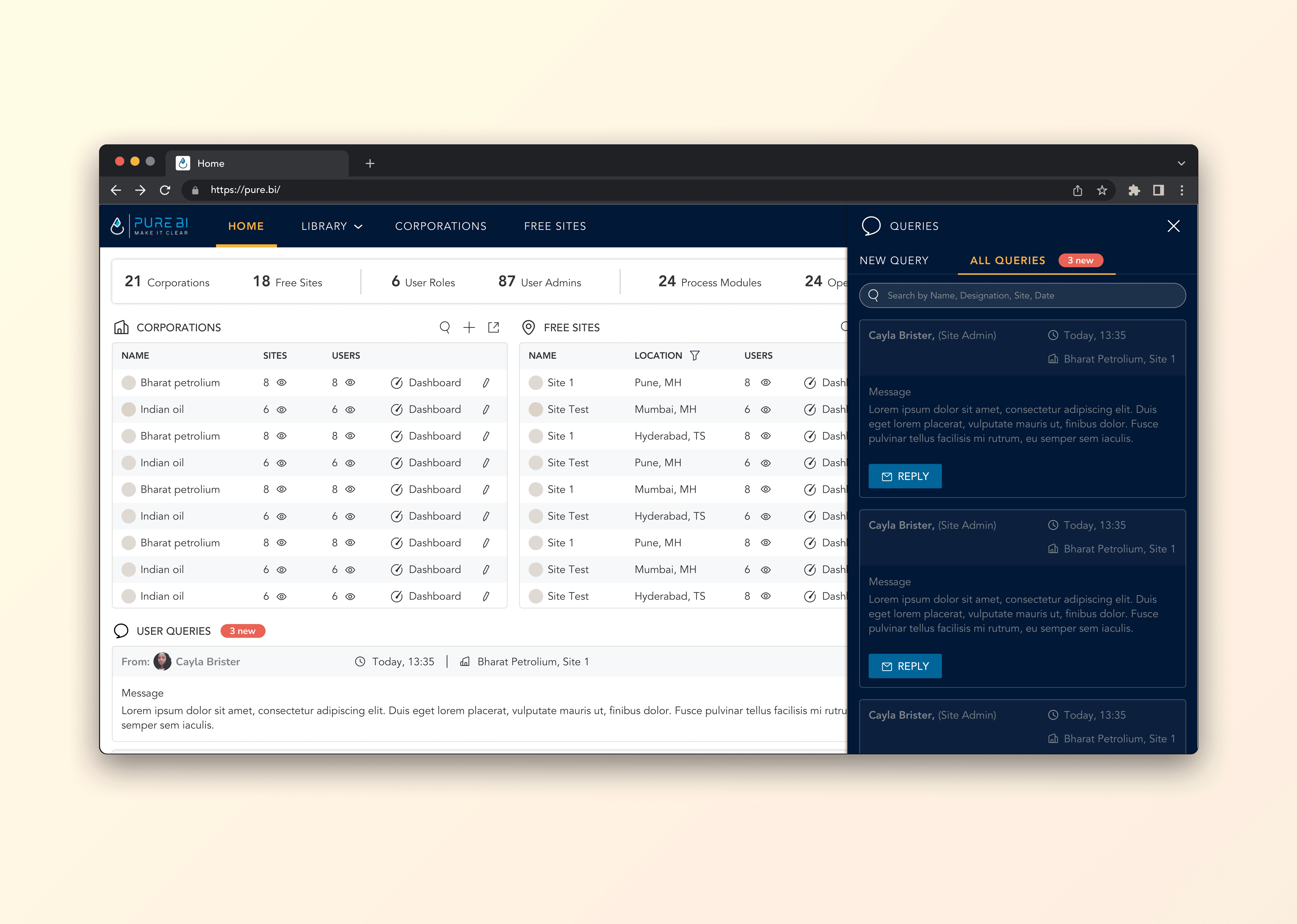
Queries - Feb 2025
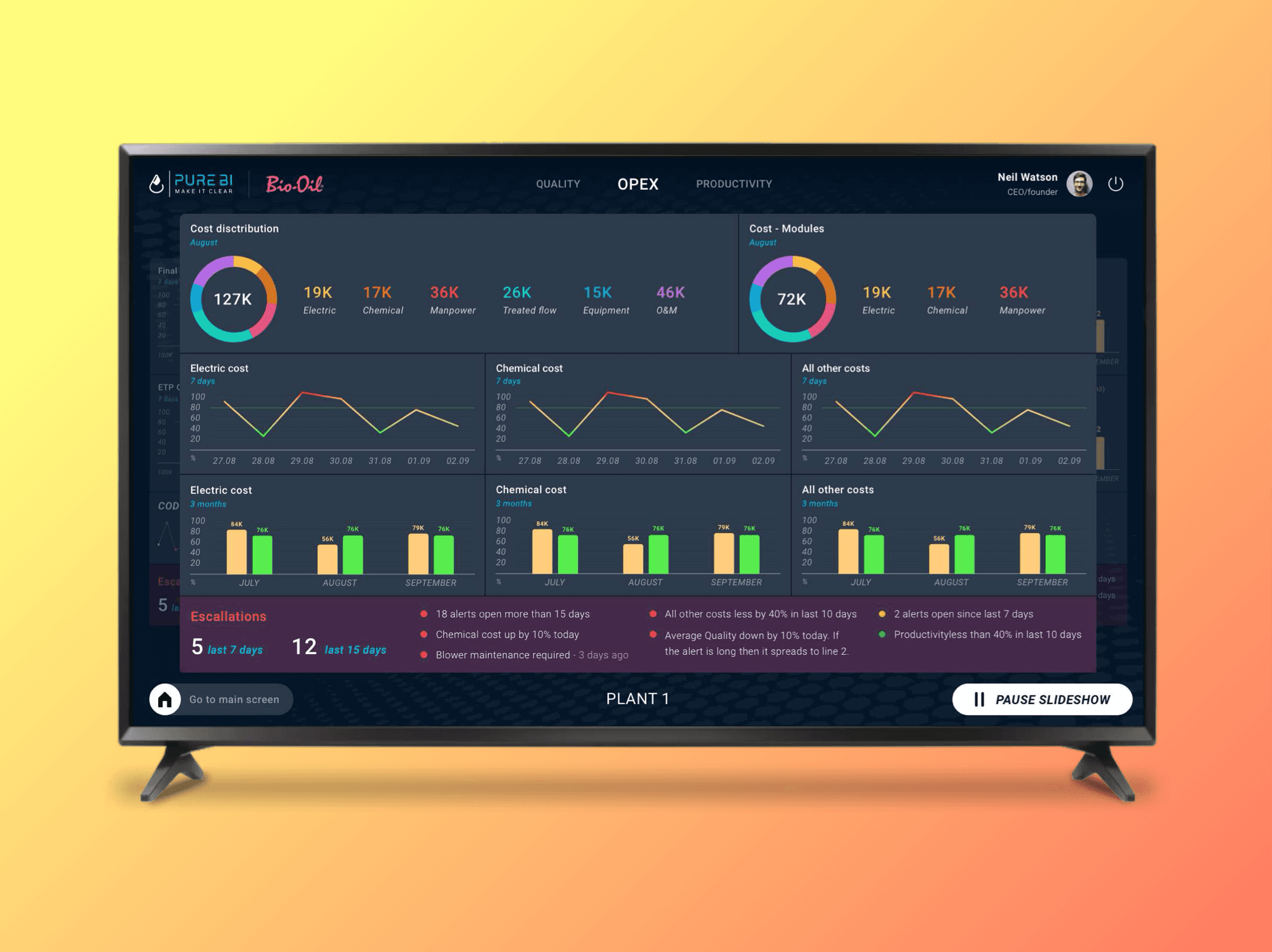
Currently - Smart TV Dash…
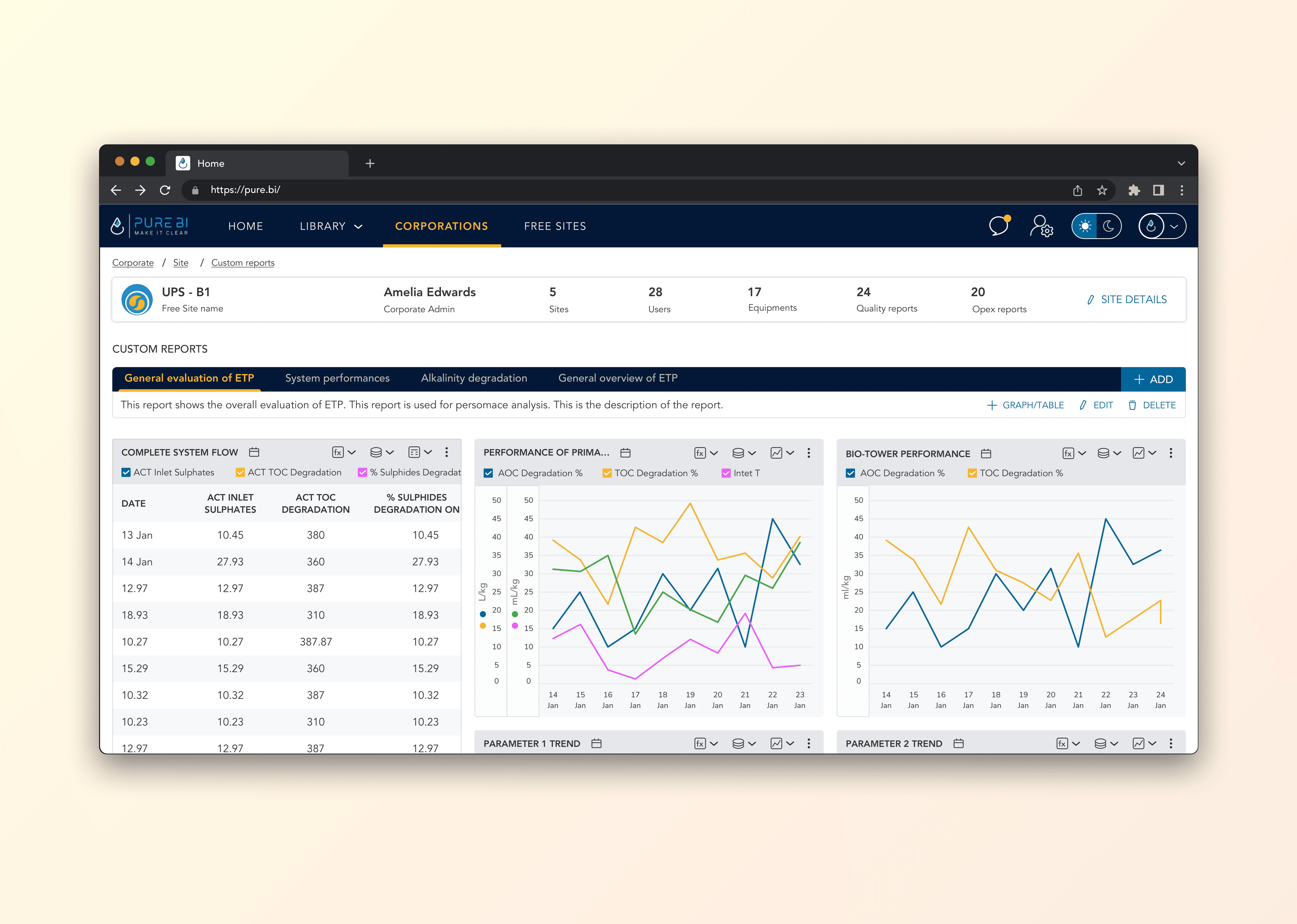
Custom reports - Jul 2024
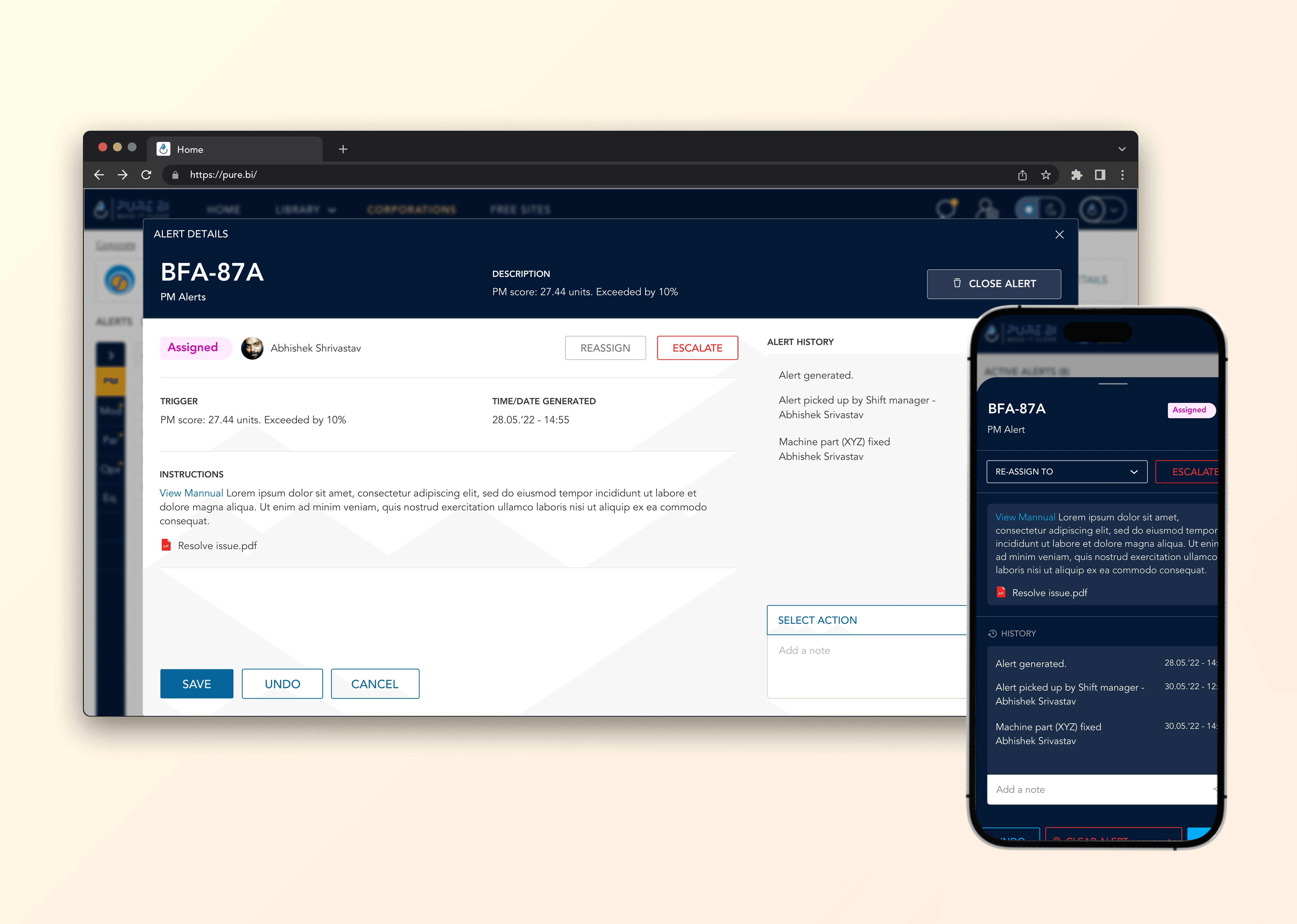
Alerts - Mar 2025
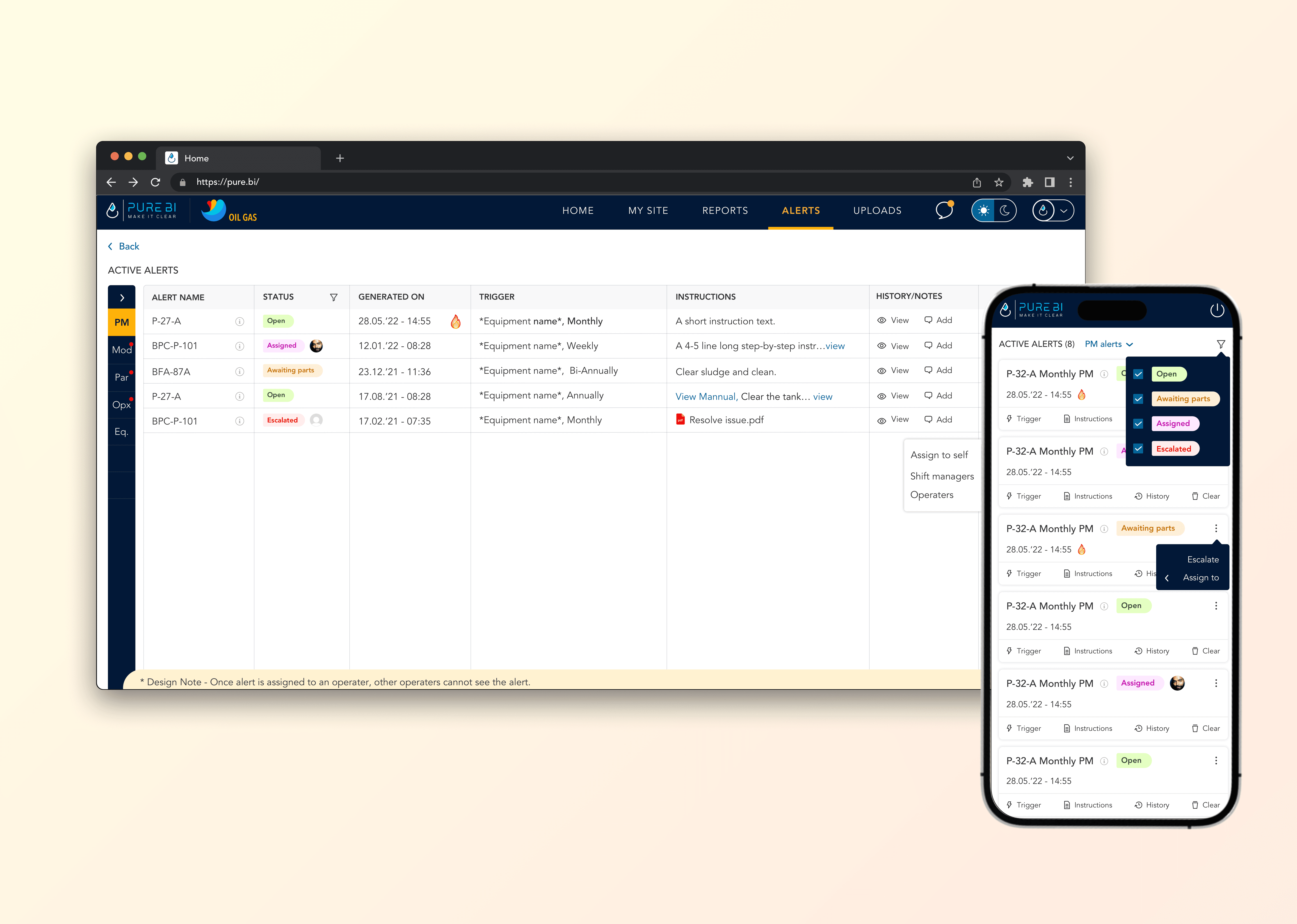
Alerts - May 2025
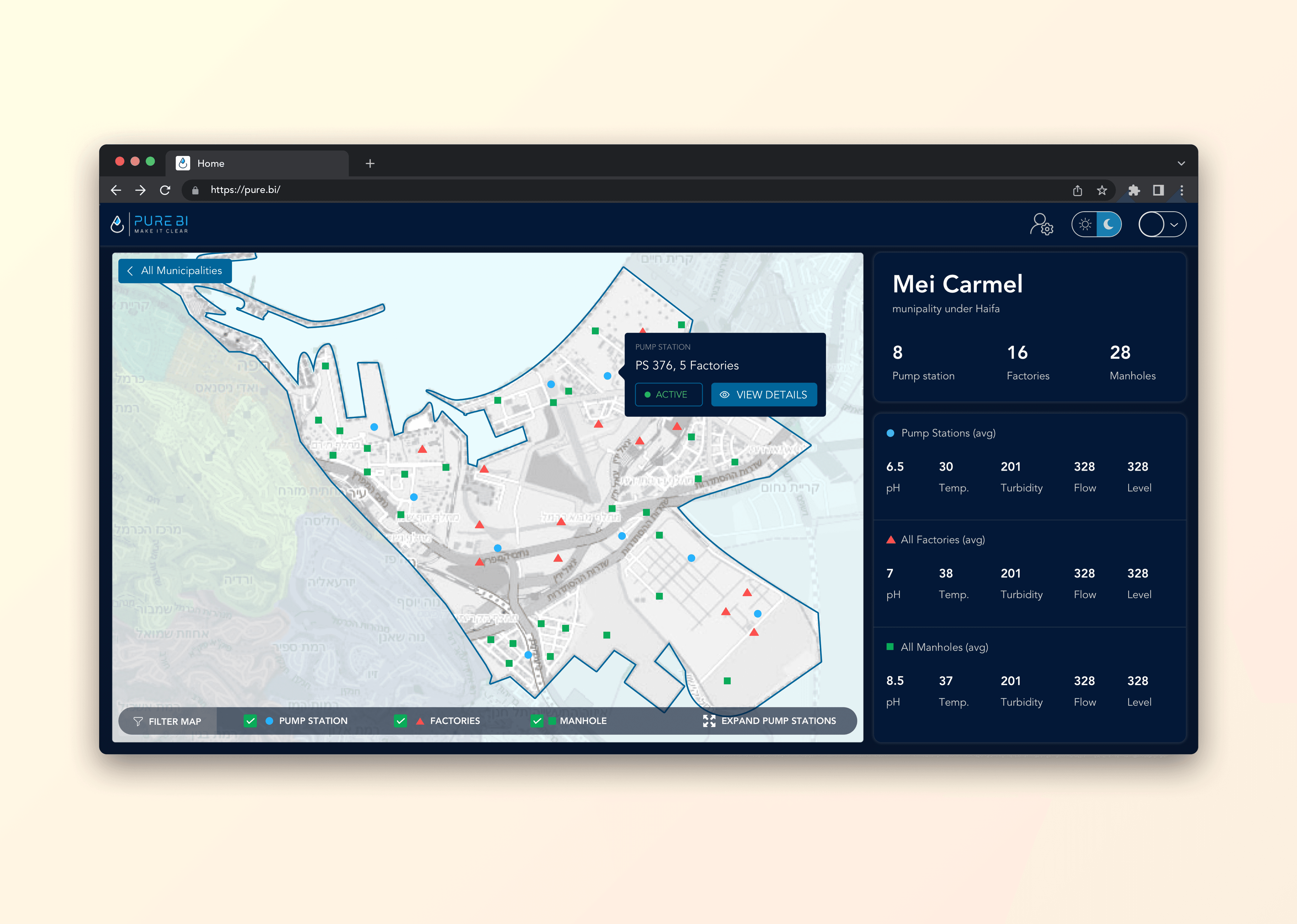
Proposal - Sep 2025
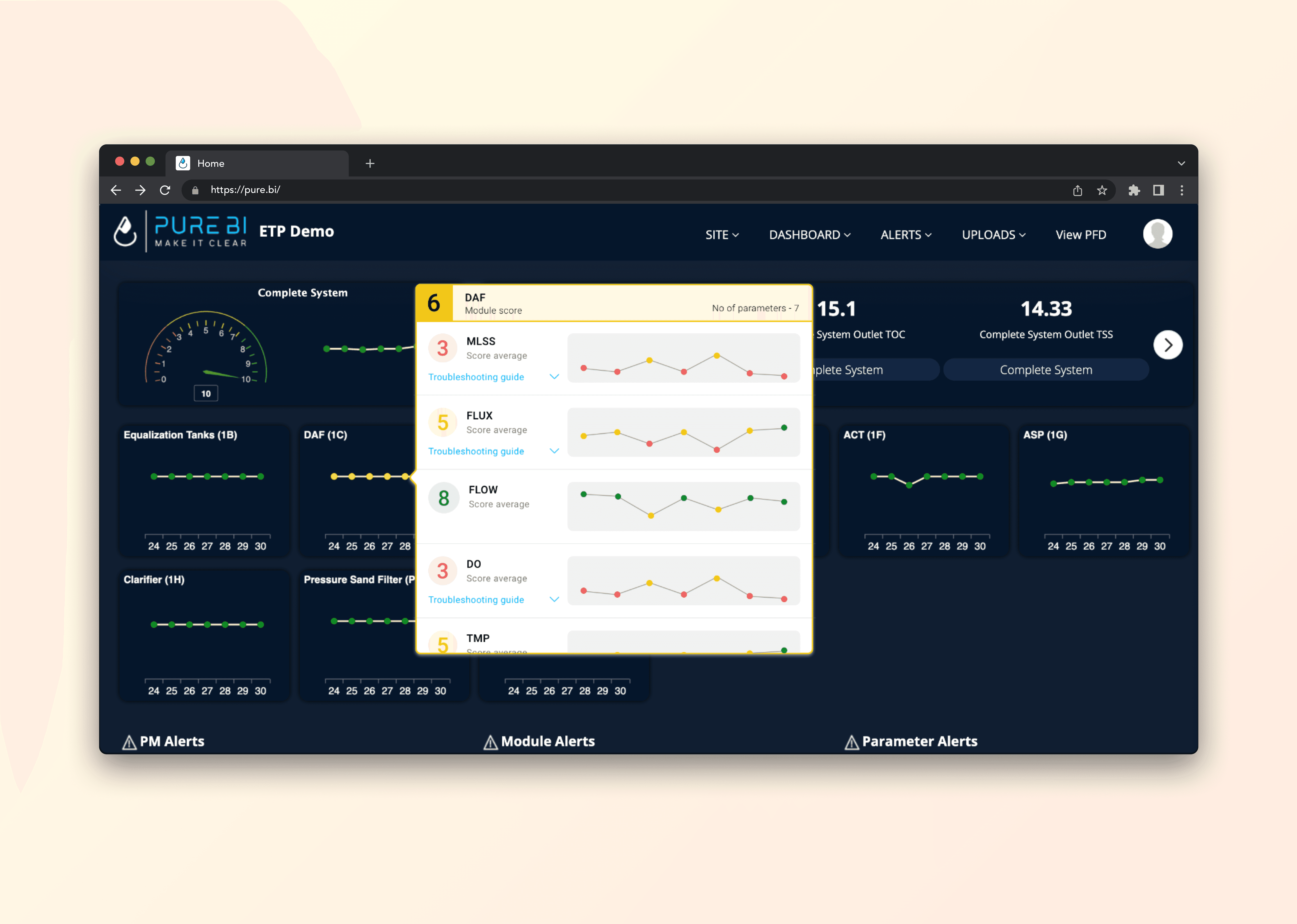
Graph details - Dec 2024
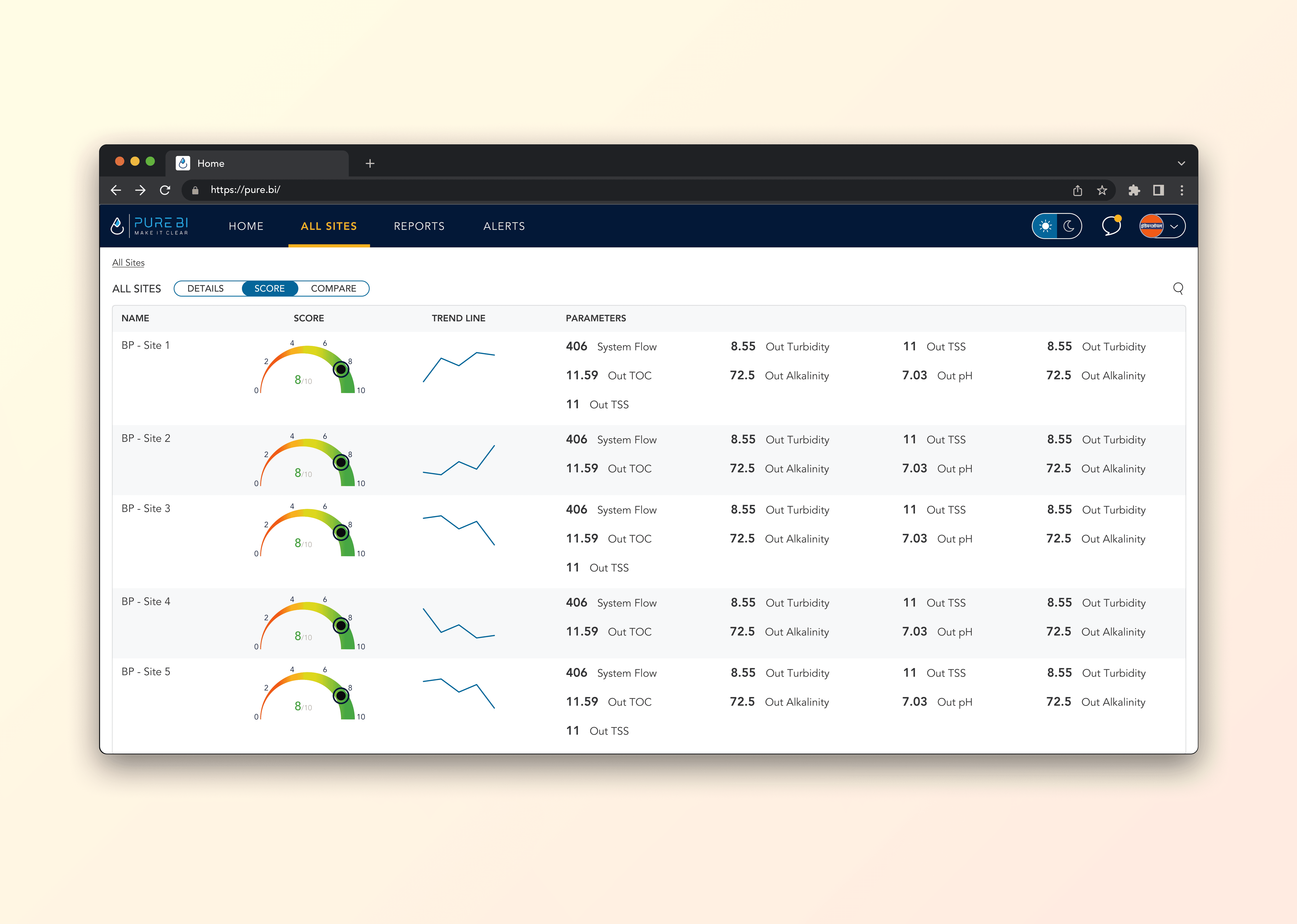
Corporate Report - Jul 2024
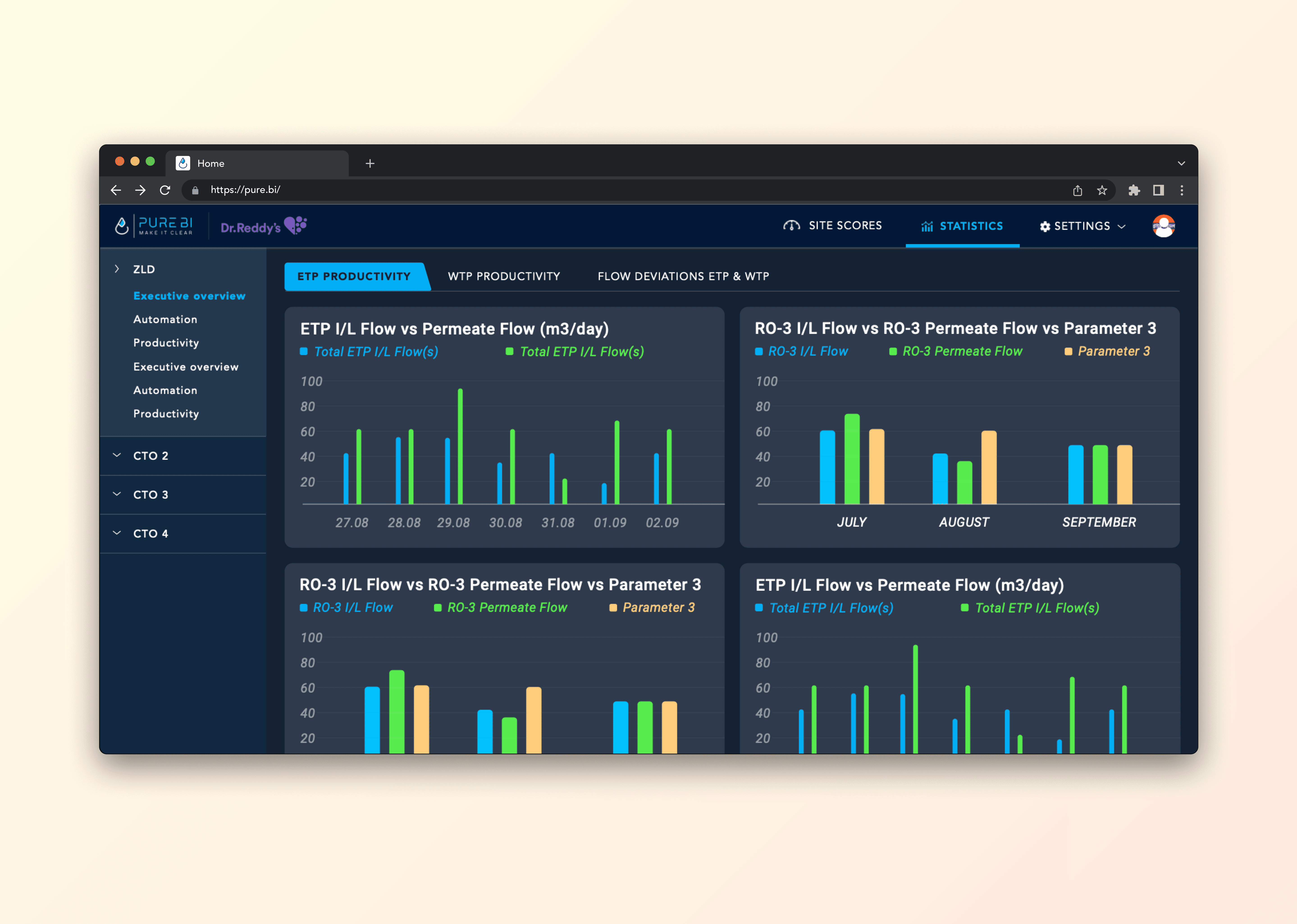
Dark mode - Oct 2024
Since 2023, unlit present.
My Role
Senior Product Designer
I partnered closely with leadership to shape product features that assisted operational clarity across management levels. I designed, validated ideas, and designed experiences that created an impact.
🟢 LIVE
The Team
Purebi Leadership team
PureBi Product lead
Lead Developer
Product Designer (Myself)




How I work with AI.
Figuring out how AI changed the workflow and understanding how users interact with probabilistic systems.
Including AI tools in the workflow to prototype & test faster.
Transfer from traditional product design to AI Native product design.
Collaborate with the team to test new tools and make development efficient.
Impact & Results
Business Impact
33% - (Average) YoY Increased Revenue. (as of 2025)
Best Practices Recognition by Frost & Sullivan.
Customer Impact
47% - Process Efficiency
58% - Improved Sustainability
Product Impact
64% - Success Rate
52% - Error Recovery Rate


David Amir
CEO at BioPetroClean
"A professional that acts fast and stays on top until complete delivery."
More on Linkedin
Key Users
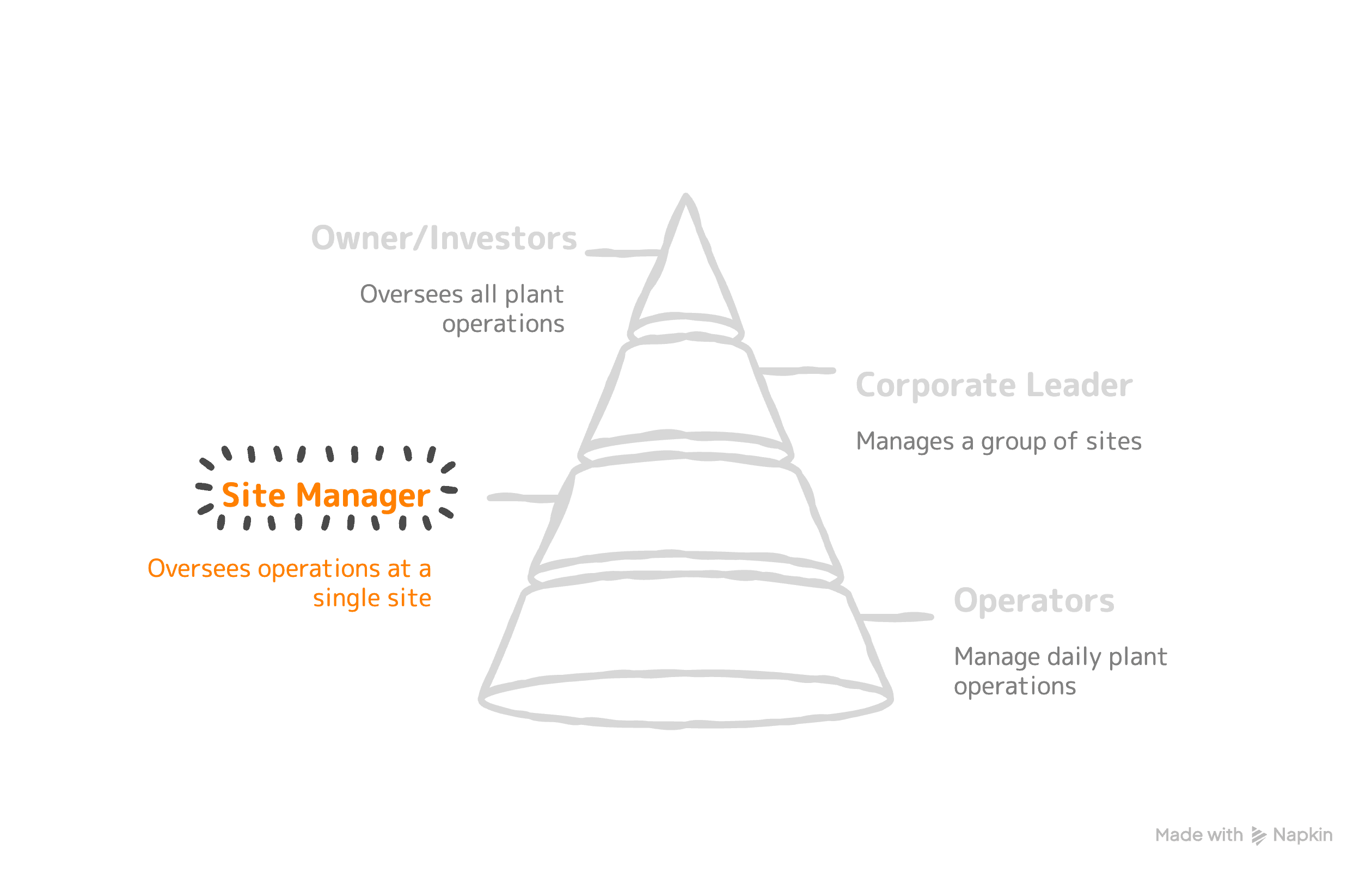
Key Tasks
Check key metrics and look for anything that feels off.
If something shifts, speak to operators, review logs, and act fast.
Reduce chemical waste and operational costs. Minimize machine downtime and maintenance surprises.
Turning data into clear reports for the corporate leader.
Relavant KPI's
Chemical consumption per cubic meter
Energy usage
Downtime hours per month
Maintenance frequency
OPEX reports (Finances)
Problem Definition
Job to be Done
Maintain plant performance, sustainability compliance, and increase site efficiency.
Unmet need
Operational data exists, but it is scattered across machines, spreadsheets, and manual/physical logs. The site manager lacks a single, reliable view that connects performance, cost, and compliance in one place.
Key Insight
The site manager is constantly switching between firefighting and reporting. The real issue is not a lack of data, but a lack of structured visibility. When operational, financial, and compliance metrics are connected in one clear view, decisions become proactive instead of reactive.
Problems
• Critical KPIs are monitored across disconnected systems
• Manual reporting to corporate consumes significant time each week
• Performance gaps are identified reactively instead of proactively
• Operators lack visibility into how their daily actions impact plant-level performance
Design Hypothesis
If we centralize plant data into dashboards that highlight deviations, trends, and operational thresholds, the site manager will be able to:
• Detect inefficiencies - Efficiency: ↓ 32%
• Reduce reporting effort - Time saved: 60%
• Optimize resource usage - Money Saved: 35%
• Improve plant performance while staying sustainably compliant
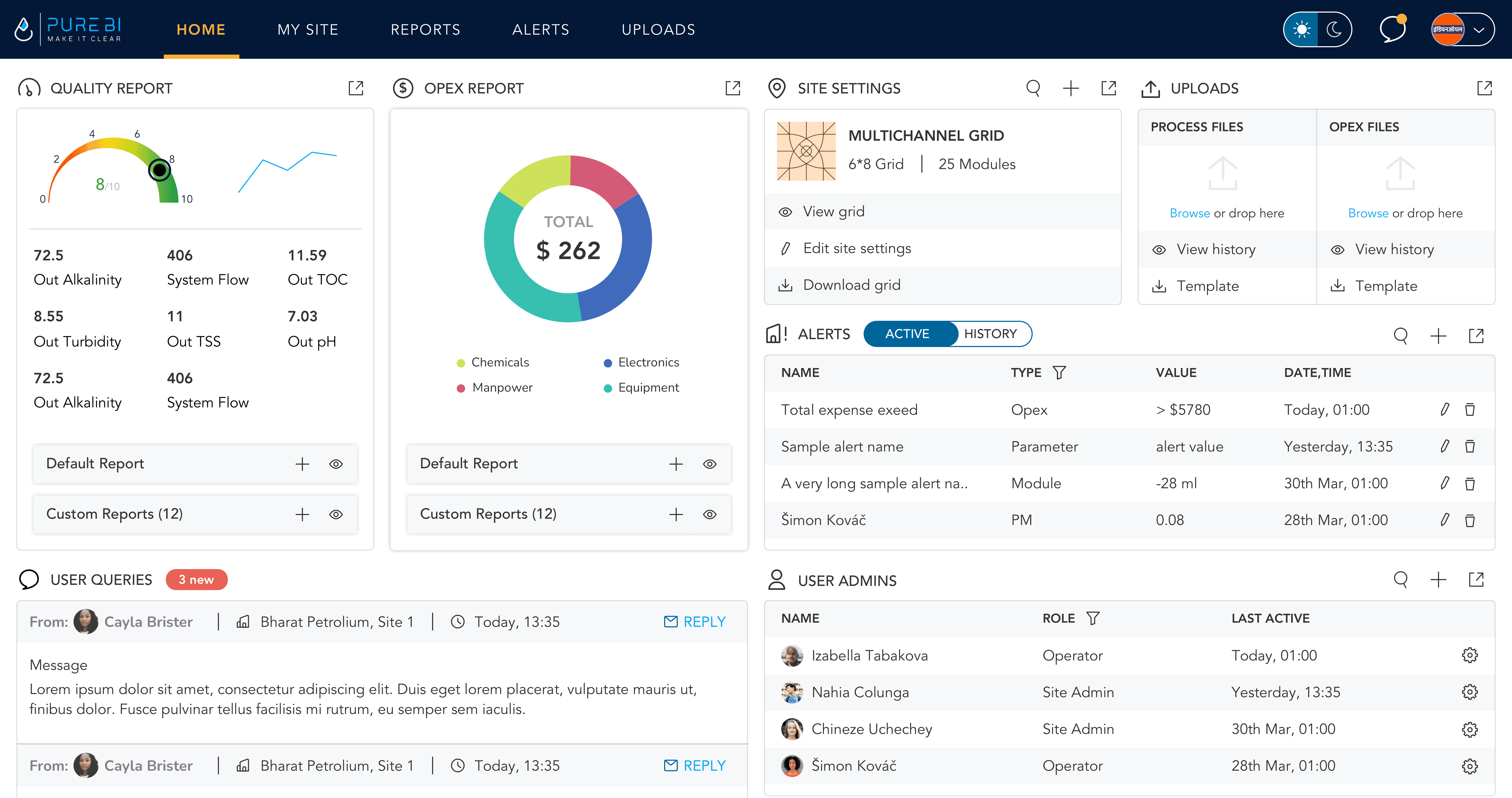
Same Dashboard, Multiple Users
CORPORATE LEAD
SITE MANAGER
OPERATOR
Challenge
Design a single dashboard system that serves Operators, Site Managers, and Corporate Leaders without fragmenting the product into separate tools. Each role requires different levels of detail, metrics, and controls, yet the platform needed to remain consistent, scalable, and easy to maintain.
Solution
I designed a unified dashboard that dynamically adapts based on user role. The underlying structure remains the same, but the features, visibility of data, priorities, and level of permissions shift according to login.
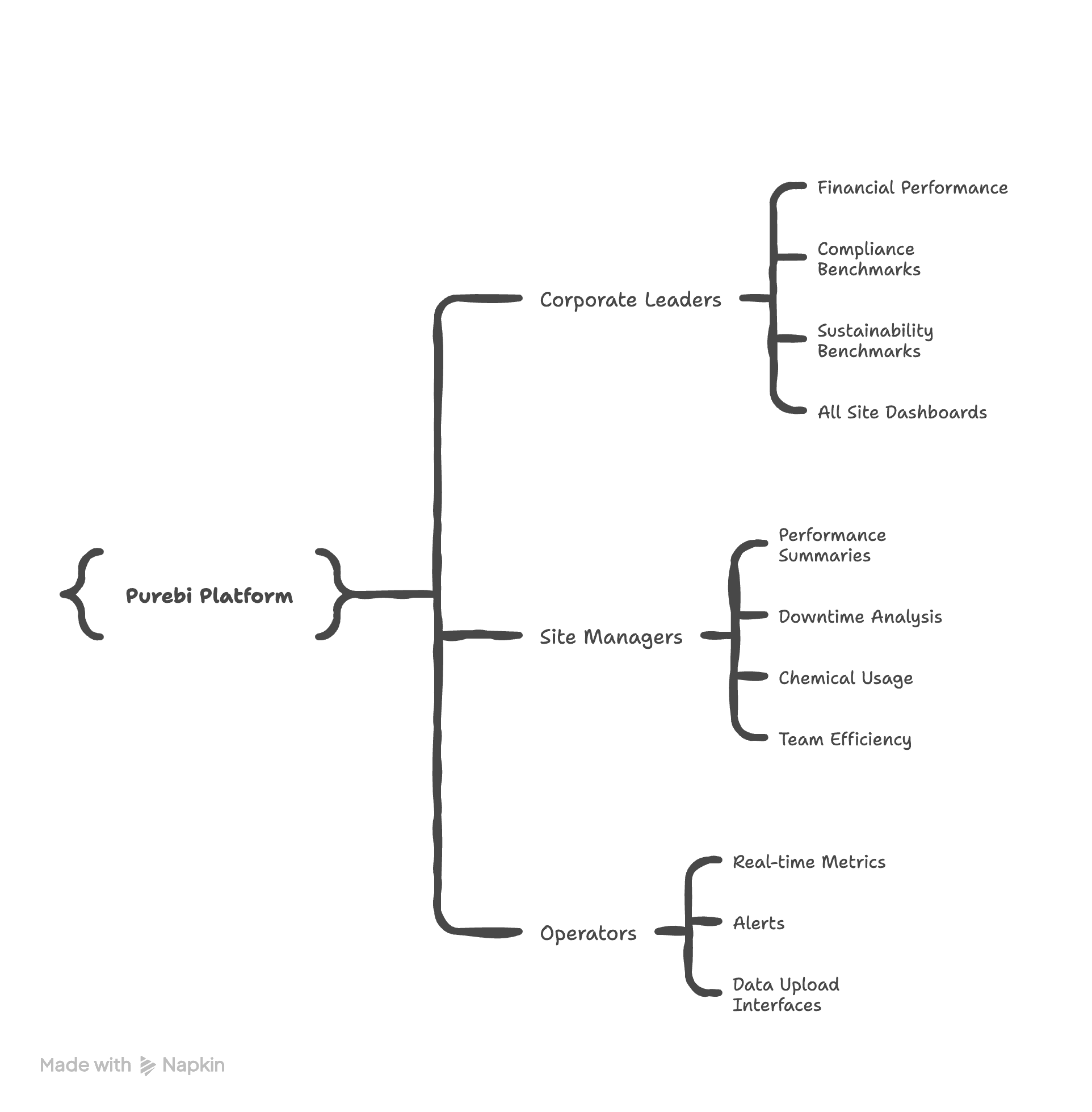
• Corporate Leaders view aggregated cross-site KPIs focused on financial performance, compliance, and sustainability benchmarks.
• Site Managers access operational summaries combining performance, downtime, chemical usage, and team efficiency.
• Operators see real-time plant metrics, alerts, and data upload interfaces to support immediate action on the floor.
Key Decisions
• Implemented role-based data visibility rather than separate dashboard builds
• Structured metrics hierarchically, allowing drill-down from corporate to site to operator level
• Maintained one consistent component system to ensure scalability
• Conducted usability sessions across roles to validate relevance and clarity of displayed KPIs
Design Impact
• Reduced reporting preparation time by 72% for Site Managers through role-specific dashboards
• Decreased cross-role data clarification meetings by 55%, as each level accessed structured and relevant KPIs
• Improved KPI visibility across management layers, increasing decision turnaround speed by 28%
• Achieved 81% positive usability feedback across Operators, Site Managers, and Corporate Leaders during validation sessions
Onboarding Journey
Site Managers were responsible for setting up the digital representation of their plant. This was often complex, as multiple machines and modules were interconnected to form larger operational systems that captured and reported data. The challenge was to translate real-world plant infrastructure into a digital structure that felt logical, manageable, and not technically overwhelming.
Solution
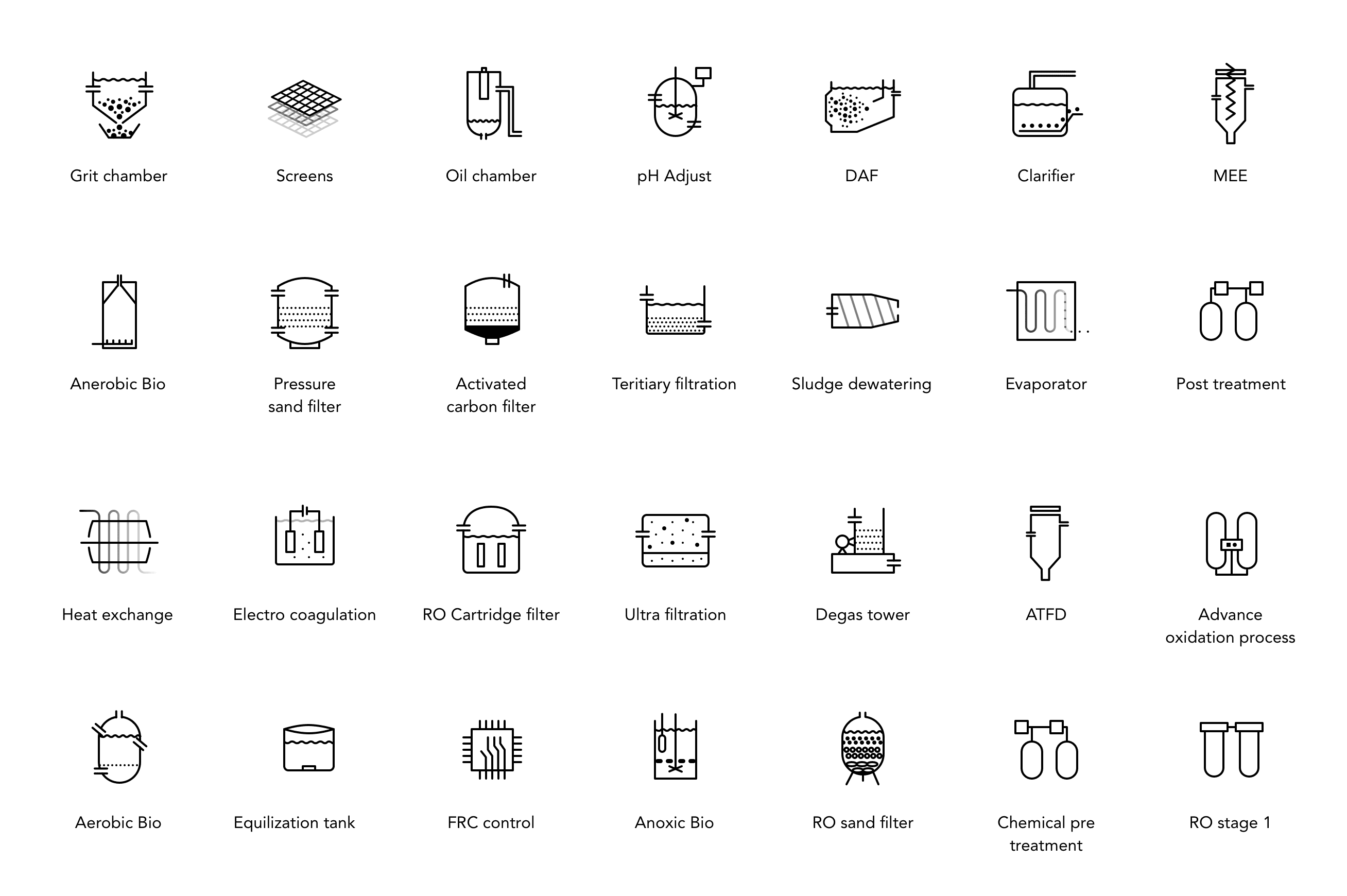
We designed a visual plant setup environment where Site Managers could either select from pre-built plant templates or create a custom structure from scratch. Using a drag-and-drop interface, they could add equipment modules, configure them, and visually link them to represent how water flows across systems. This allowed managers to mirror their physical plant layout in a way that felt familiar and intuitive.
UI and Icon Design
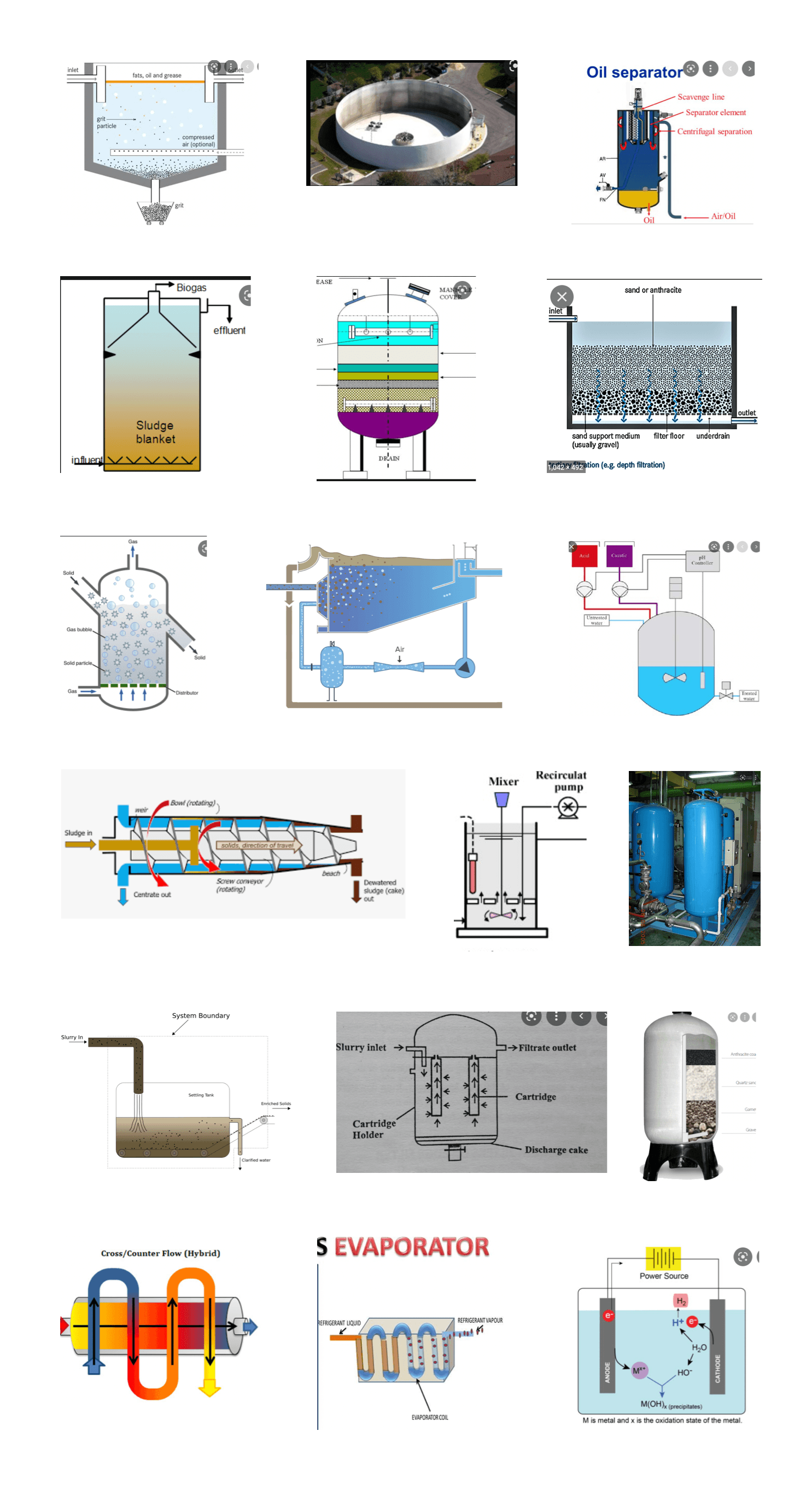
Each module was represented with simple, recognizable icons inspired by real equipment, reducing abstraction and making the digital setup feel familiar. This helped Site Managers quickly recognize components, understand system relationships, and configure plant structures without feeling like they were working inside a technical backend system.
Inspiration
Design
Key Decisions
• Introduced a drag-and-drop module system to reduce abstract configuration
• Represented each equipment type with simple, real-world inspired icons to improve recognition
• Allowed both template-based and custom plant creation to balance speed and flexibility
• Designed linking interactions to visually represent flow instead of relying on backend configuration
Design Impact
• Achieved a 71% task success rate during setup validation sessions
• Increased reported user confidence and independence in configuring plant systems
• Reduced reliance on technical support during initial plant setup
• Enabled faster onboarding for new site deployments
Hyper-Customisability [Reports]
Challenge
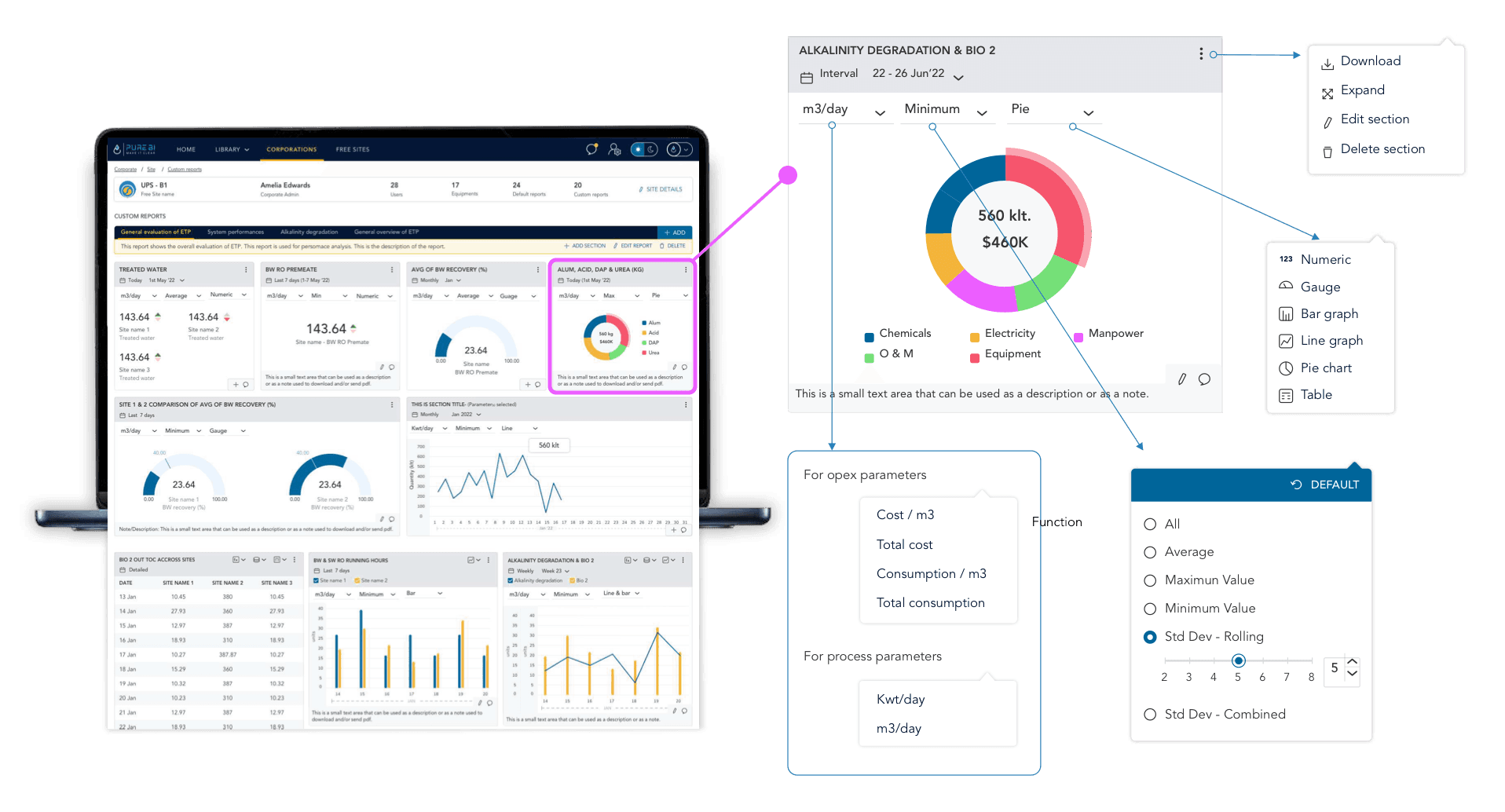
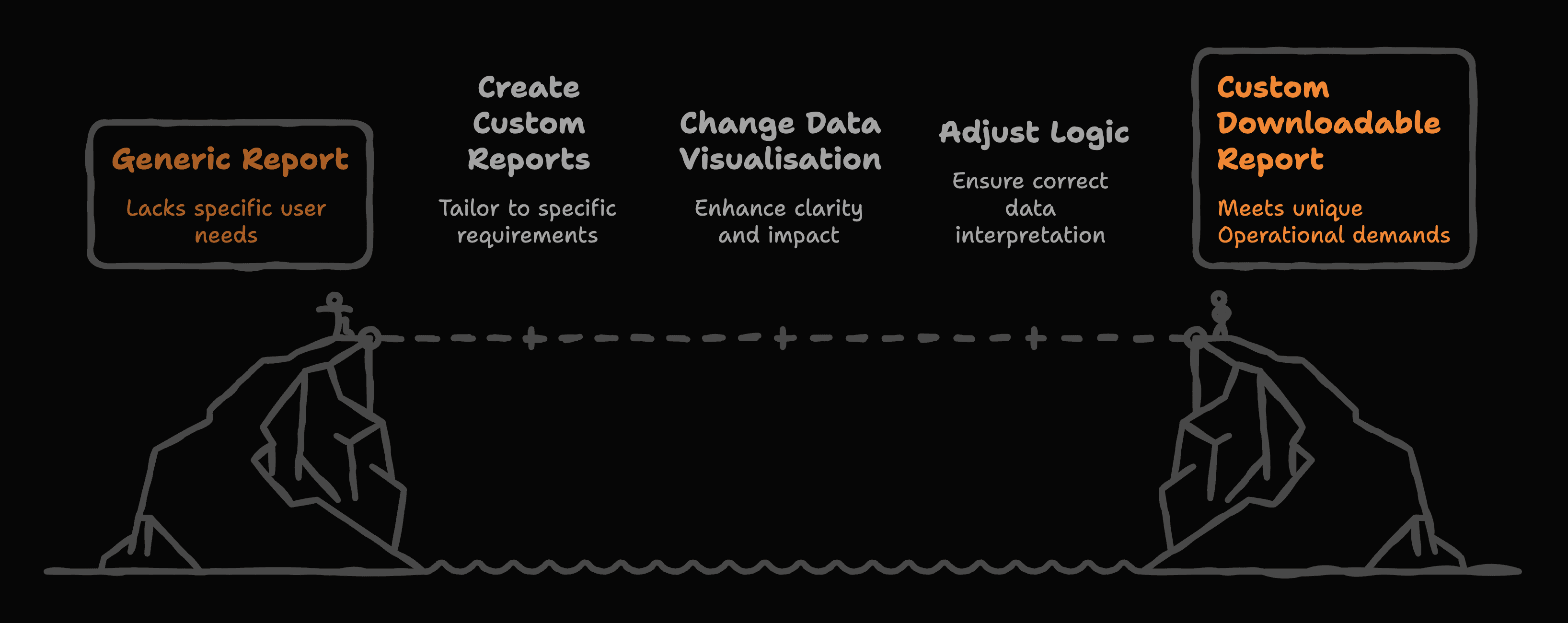
Site Admins needed flexibility to configure dashboards according to their plant’s specific KPIs without breaking the structure of the system. Each plant had slightly different reporting standards, thresholds, and performance metrics. The challenge was to allow deep customization while keeping the system stable, scalable, and easy to manage.
Solution
I designed a modular dashboard system where each data widget could be configured dynamically. Site Admins could switch visualization types, adjust aggregation logic, define thresholds, and select relevant KPIs without changing the core layout.
The structure of the dashboard remained consistent, but the data logic and visual representation were flexible. This gave admins control without introducing structural chaos.
Key Decisions
• Implemented role-based data visibility rather than separate dashboard builds
• Structured metrics hierarchically, allowing drill-down from corporate to site to operator level
• Maintained one consistent component system to ensure scalability
• Conducted usability sessions across roles to validate relevance and clarity of displayed KPIs
Design Impact
• Reduced reporting preparation time by 72% for Site Managers through role-specific dashboards
• Decreased cross-role data clarification meetings by 55%, as each level accessed structured and relevant KPIs
• Improved KPI visibility across management layers, increasing decision turnaround speed by 28%
• Achieved 81% positive usability feedback across Operators, Site Managers, and Corporate Leaders during validation sessions
Testing
The platform already had an active user base, from which 20 participants were selected each time to take part in usability testing.
Task & KPI's
Showcase
A/B Test
Dark vs Light Mode
Dark Mode
Time to Complete Task: 32%
Task Success: 58%
Confidence Score: -
Light Mode
Time to Complete Task: ↑47%
Task Success: 83%
Confidence Score: ↑ up
Product Analytics
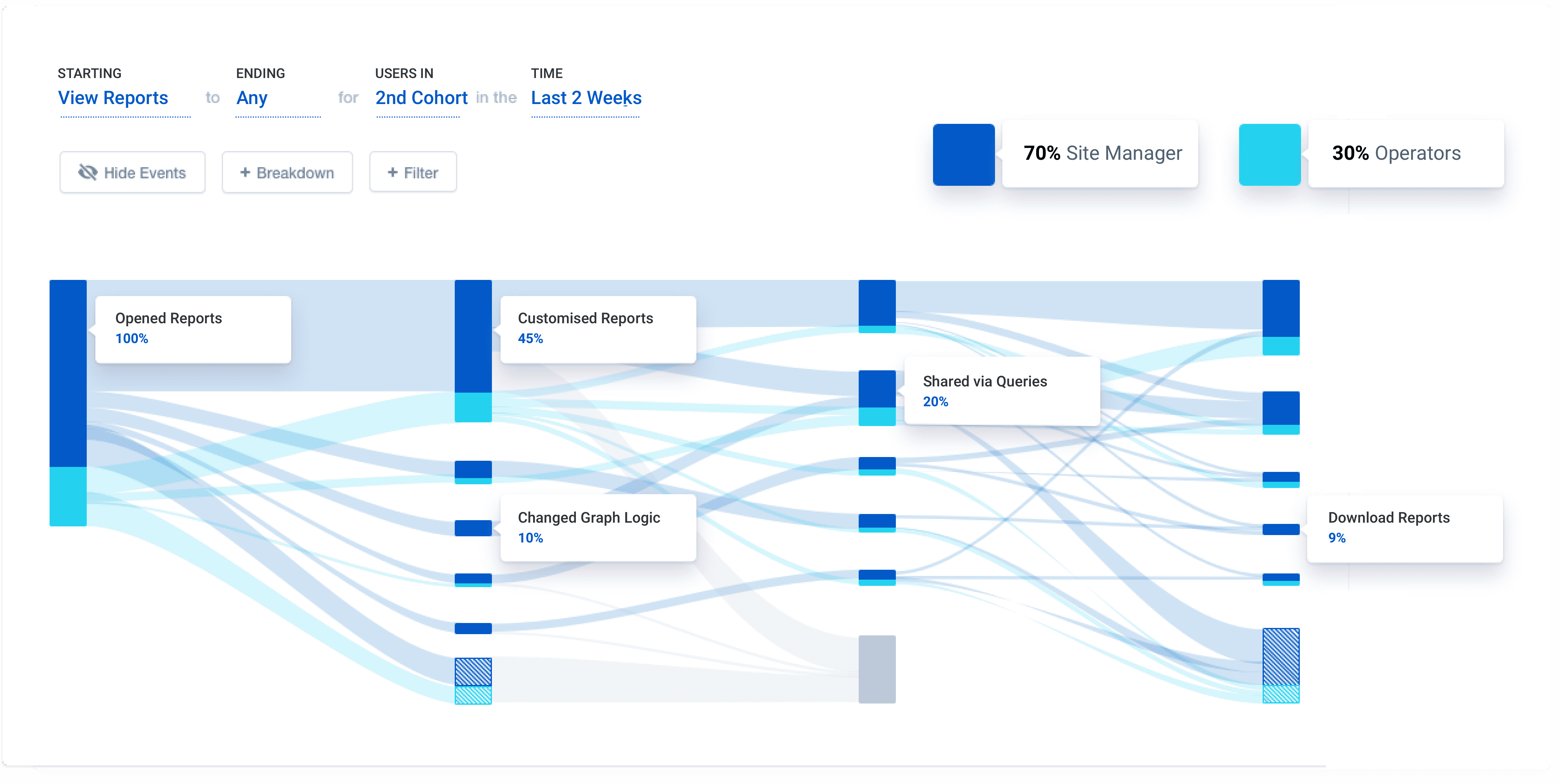
Reporting Analytics
User flow analysis revealed that while 100% of users accessed reports, only 10% engaged with advanced graph logic controls.
This indicated a gap between flexibility and perceived need, leading us to simplify advanced controls for most users and surface guided presets instead.
Contact to know more.
Over the years, the product has taken its shape through hours of brainstorming, discussions, tests and more. To find out more about this project…